
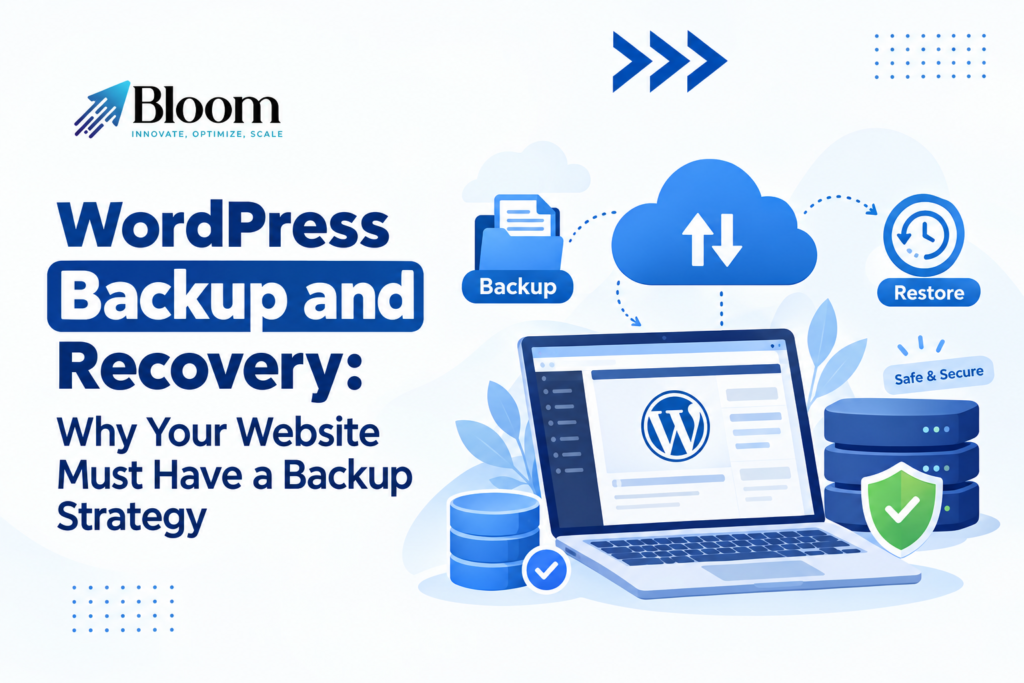
WordPress Backup and Recovery: Why Your Website Must Have a Backup Strategy
Your website can go wrong for all manner of reasons at any time – accidental deletions, update failures, malware, server failures. Without a backup, the task of restoring vital website pages, customer data and critical business data can be both costly and challenging. For those businesses that rely on their website for sales, enquiry or customer communication, the need for backups and a contingency plan should be taken seriously. Every website should be backed up regularly, along with a quality WordPress maintenance plan.
What Is a WordPress Website Backup?
A WordPress backup is a copy of your site files and database that is used to restore a WordPress site in case of a problem. Usually, a WordPress backup will include site content, images, themes, plugins, settings, and database data.WordPress sites contain two types of information that require protection: The site’s files, which are made up of themes, plugins, uploaded media, and the WordPress core files. The database that contains, among other things, all your posts, pages, user information, settings, and comments.Create backups of both part to make sure you will be able to recover your website. You might only have the files or only the database backup, but it does not mean you have the full website backup.
Why Does Every WordPress Website Need a Backup Plan?
Every website has its risks, no matter how small or what industry it is in. A small business website may be at risk of losing pages that are vital, while an ecommerce website risks much larger problems if order information or customer records or product pages go missing.A backup plan means that there is always a plan to get out of a situation. You do not have to re-create your website all over again, you can load up a working backup and get back to business. You are highly encouraged to have backups for your business site that collects leads, processes payments, releases regular content, and manages customer accounts. A few minutes of downtime can also cause a negative impact on your business and customers.
COMMON PROBLEMS WHICH MAKE WEBSITE BACKUPS ESSENTIAL
Failed WordPress Updates
WordPress core, themes and plugins to enhance security, address bugs and add new features. However, an update may sometimes result in incompatibilities with another part of the website. A plugin may lose functionality, a page layout may become unusable, or a vital feature may be temporarily unavailable. Having a backup on hand before making critical updates provides a fallback plan if those updates have undesirable consequences.
Malware and Security Threats
WordPress websites are the most susceptible to attack when the software is outdated, there are loose security controls, or if a website has been left open for attack. Malicious attack can include the injection of damaging files, website redirection, or loss of data. A restore from a clean backup can bring a site to a working condition, but it should be combined with the seek of the cause, the cleaning of the code and the repair of security flaws, so that the problem does not occur again.
Mistake of Deletion or Human errors
Website Administrators accidentally delete pages, delete images, change the settings or overwrite a page. These errors can be made during regular editing or a website redesign. A backup restores all your lost information quickly and easily and helps you to avoid having to generate everything again by hand. This is a must-have when you have a bunch of people working on your website or as you are making frequent changes.
Server or Hosting Errors
Server hosting services might run into hardware, configuration, or dependability problems. In some scenarios, it’s even attainable your web site’s data files or database have turn into inaccessible or corrupted. Having an independent backup outside of the hosting account lowers dependence on one provider. It provides website owners with an alternate restore solution in case the primary server fails.
How Often Should You Back Up a WordPress Website?
The frequency of backups that will work best for your website will differ depending on how often you update the site, and how much data you are willing to lose. If your business website rarely changes and you only update your content from time to time a daily backup should be fine. News blogs that are published on a daily basis could need daily backups. Ecommerce shopping sites, booking systems, and other memberships services could require multiple backups each day or transaction aware recovery. You should also generate new backup ahead of noteworthy modifications such as modifying the existing website, upgrade the plugin, change to a different theme, and all version upgrades. Backup schedules should be revised as your website evolves. A website that previously needed only infrequent backups might need more regular backups once you start accepting orders or collecting contact info.
Where Should You Store WordPress Backups?
Having a back-up stored on the same server as your website can be a huge risk. If the server goes down or the hosting account is hacked, the live website and the back-ups are also jeopardized.Instead, they should keep copies in their own safe place (a reputable cloud storage service or an independent backup server). And for essential websites, there’s also the 3-2-1 backup mantra for extra reassurance: three copies of data, on two different media, with one off-site.Backup files should be secured with the right permissions and encrypted if possible. Limit access to them to just those who need them. Consider how far back you might need to go in order to restore your site.
Importance of backup testing
A backup does not mean you will be able to successfully restore your website. Files can be corrupted, database exports can be broken, or backups can fail unnoticed.Conduct restoration testing on a regular basis to verify that the backup has the information required for the purpose of restoring your website. Test the restoration in a staging environment to avoid disrupting your live website.Observe if relevant pages are loading, images are loading, forms are being filled and submitted, plugin is functioning correctly and content from database is loading. Ecommerce site should ensure that stores essential functions are loading using appropriate safe test methods.There are only two aspects to a plan as the backup will have both creation and recovery testing.
What Is WordPress Website Recovery?
Website recovery is the restoration of a website after it has lost its data, suffered technical failure or been compromised by an attack. Website recovery may require restoring the website files, loading a database backup, fixing configuration errors or reinstalling parts of the website.The initial step is to identify the reason and find out which backup is appropriate. In case your website has been infected, validate that the backup is uninfected earlier than restoring.Once recovered, this is a good time to patch any software that may be vulnerable, reset any compromised login details, audit administrator accounts, and verify that key website functionality is working. Keep watching the site for any further issues.A documented recovery process ensures a more structured process and less confusion in the midst of the craziness.
How WordPress Maintenance Services Help Secure Your Website
Regularly archiving and maintaining backups takes both time and skill; it requires ongoing optimization and that somebody consistently keeps watch to be sure it truly is being performed.A professional WordPress maintenance service can set up a suitable backup plan, track the backup status, keep secure off-site copies, and provide assistance in case of a failure. It can also include updating programs, security scans, monitoring performance, and resolving issues.Inquire about the backup frequency, retention period, storage location and if there is restoration support before selecting a service provider. Have a clear understanding of the provider’s security incident response and the timeframes for addressing events.
Create a Sustainable WordPress Backup and Recovery Solution
A good backup plan will indicate: What items need to be backed up; How often backup copies should be made; The storage location of the backup copies; And how the retrieval process should work.Start by enabling automatic backups at the interval suitable for your website’s usage. Store backups to a location other than the website server, encrypt them with multiple levels of access controls, and test them. In addition, before making significant changes to your website, create a backup and verify its existence.It is worth setting two recovery goals as well: The recovery point objective specifies how much recent data you are going to be willing to lose, and the recovery time objective specifies how fast you want to get your website back up and running. These goals will allow businesses to choose an appropriate backup and recovery plan.
Conclusion
Backups are one of the keys to website safety and business resilience. They safeguard your best content, mitigate the damage from technical crashes and disasters, and simplify recovery from unintentional modifications or security violations. However, backups are of limited value unless they’re comprehensive, safely stored, and routinely tested.A detailed recovery plan and a dependable WordPress maintenance service will at least help you minimize the chances of downtime and ensure that your website will be more resilient when disaster strikes. Effective backup management will bring you greater peace of mind that your website can bounce back from disaster.

Neetu Wadhwa is the Director of Bloom Agency, a Mumbai-based full-service digital marketing and web development company. With a strong focus on performance, innovation, and strategy, she leads the agency in delivering SEO, web design, and growth marketing solutions that drive measurable business outcomes.





Rahul M.
B2B Service Provider