
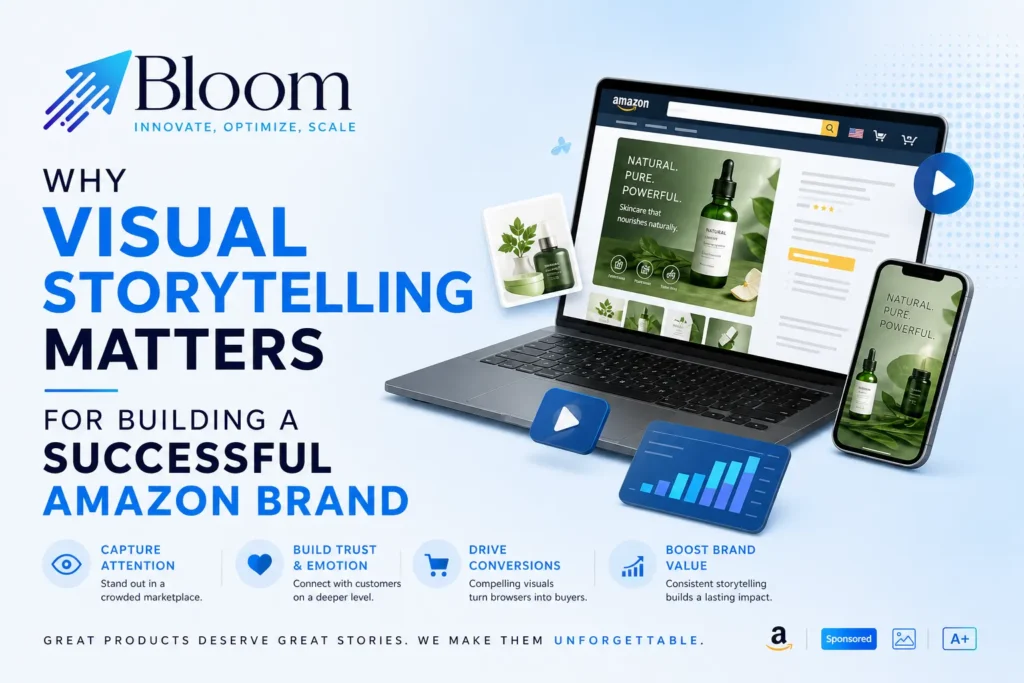
Why Visual Storytelling Matters for Building a Successful Amazon Brand?
In Amazon, your product will be competing with numerous similar products within a single page of search results. The consumer cannot examine the product physically; they cannot even look at the package or consult the seller about the product. They will be left with just a few images, a few bullet points, and a few seconds’ attention. The brands that triumph in such situations do not just stick to listing the features of their product.
Rather, they tell an effective visual story regarding their product, its target customers, its benefits, and the credibility of the brand itself.
What Is Visual Storytelling on Amazon?
Visual Storytelling involves using images, layout, copy, and videos in a planned sequence so that shoppers not only see but understand and feel your product. It is the difference between an image of a water bottle and a series of images where you see a hiker, a fitness enthusiast, and a commuter keeping their beverages cool.
The visual storytelling on Amazon happens through the following elements:
- Main and Gallery Images which get the click and give the first answers.
- A+ Content which tells the full story of your product below the fold.
- Premium A+ Content which uses video, hotspots, and interactive modules for eligible brands.
- Brand Story which introduces your brand to all your products.
- Brand Store which showcases your entire catalog in one place.
Why Visual Storytelling Matters?
1. Buyers can’t touch the product.
In a physical store, we can determine the quality of items based on how they feel, their size and how they look. In an online store, images and graphics are used to help buyers. Clear visuals show the size, material and how it can be used in real life to give the buyer confidence to buy.
2. Most buyers skim.
Most buyers will be scrolling through the content. Images help convey information quickly. Clear visual hierarchy means consumers can find the key message quickly. Use short headlines, clear infographics and simple scenes.
3. Helps build trust with new brands.
Many times buyers will be deciding between new brands. Using a consistent style and professional images helps make your brand look trustworthy. A polished page makes buyers feel like there are real people behind the product.
4. Reduce uncertainty, returns and negative reviews.
Many negative reviews are due to the product not being as expected. Using visuals to show the size, assembly and contents will help reduce unexpected issues.
5. Differentiate from similar products.
If products are very similar in specification, using a story will help buyers choose your brand over others. Using visuals to tell a story will help.
6. Help conversion.
According to Amazon’s own advice, using Basic A+ Content can help increase sales by up to 8% and Premium A+ Content can help increase sales by up to 20%. These are the maximum figures from Amazon, however there is a clear trend that having high quality content will help more buyers decide to purchase.
7. Build long term brand value.
A story will encourage buyers to return, buy across categories and search for your brand. This helps move your brand from being price competitive to building brand value.
A Simple Structure to Tell a Story with Visuals
Create a structure for your visuals to follow. These are the main points buyers will consider:
- Hook – Use a hero image and headline to show the key benefit.
- Context – Who is the product for and when would they use it?
- Solution – What are the key features and what do they do?
- Proof – Use evidence such as certifications, testing, materials or clear visuals. Ensure all claims are correct and compliant.
- Decision – Use a comparison table to help buyers choose the correct model from your range.
- Reassurance – Answer any last minute questions about size, compatibility, care and contents.
- Brand – End with your brand story. Encourage buyers to look at more products.
Key Elements of a Good Visual Story
Keep your visuals consistent with the same colours, fonts and tone across your images, A+ pages and Brand Store.
- Lifestyle images – Show real people using the product in realistic scenarios. Include something to show the size.
- Simple Infographics – Keep each infographic simple and only include one message. Keep text to a minimum to ensure it’s easy to read on a phone.
- Emotion – Decide on what emotion you want to create. Confidence, ease, comfort or excitement.
- Benefits first – Start with the benefits and back it up with details.
- Mobile friendly – Preview all your pages on a phone. Many buyers will never see the desktop version.
- Easy to read – Keep your alt text simple and descriptive. Ensure there is good contrast and text size.
Common Mistakes
Using the same images from your gallery in your A+ Content.
- Small text in your images-This will be blurry on a phone.
- Telling your brand story but not including any product benefits.
- Using generic scenes that don’t match your product.
- Unproven claims such as ‘best’ or ‘#1’. This can cause rejection and reduce trust.
- Only doing it once. A+ Content should be improved over time.
Creating a beautiful page but not considering the questions asked in reviews.
How to Know If Your Story is Working?
You should be able to see some results from your visual story. Look for:
- Conversion rates (Unit Session Percentage). Have you seen an increase since adding new content?
- Returns. Are you seeing less complaints about the product not meeting expectations? Look at themes in reviews.
- Advertising. Are you seeing good results? If you’re seeing lots of clicks but not sales.
- Brand searches and repeat purchases. Are you seeing an increase over time?
- A/B testing results from Manage Your Experiments. Available to eligible brands.
Make sure you’re only changing one key element at a time to know what has made the difference.
When to Consider Using Amazon A+ Content Services?
Many brands will be able to create a basic A+ page themselves. However, if you have:
- Lots of ASINs to manage. You’ll want templates that are consistent.
- No in house design, copywriting or video skills.
- Want Premium A+ Content. This includes video, hotspots and carousels.
- Lots of traffic but not converting. You’re unsure why.
- Launching into new marketplaces. You’ll need localised content.
- Need to follow Amazon’s content guidelines to avoid rejections and delays.
A good provider will include research, content planning, copywriting, graphic design, video, compliance, uploading and testing. Look for partners that are focused on customers, conversion and compliance. Ask for examples in your category. Be cautious of anyone that can guarantee sales increases.
Frequently Asked Questions
1. What is visual storytelling?
Using images, layout, short text and video to tell a logical and emotional story about your product and brand.
2. Does A+ Content really help sales?
It can help conversion by answering questions and building trust. Amazon state there could be an increase in sales, however this will depend on your product, traffic and how well it’s done.
4. Do I need Brand Registry?
Generally yes. If you are a brand registered seller/ vendor you can use A+. Check your A+ Content Manager.
3. Can I use amazon a+ content services for one product?
Yes. Many providers will start with one hero product or a small test batch. Once you can see results they will build the same style across your whole catalog.
5. What’s the difference between A+ Content and Brand Story?
A+ Content will be about your specific product. Brand Story will introduce your company and help link buyers to your full range.
6. How often should I update my A+ Content?
Regularly. If there are changes to your products, packaging, branding or questions from customers then update. Test improvements.
7. Can small brands benefit?
Often yes. Small brands often benefit the most as clear visuals and a consistent story will help build trust quickly with unknown products.
8. Should I use video?
Video can help you show how to assemble, features and use cases quickly. Premium A+ Content can include video modules. Eligible brands can also include video in other areas.
9. How many images/modules should I include?
Only include as many as needed for your story. Each image/module should answer one question for the buyer. Check A+ Content Manager for current limits.

Neetu Wadhwa is the Director of Bloom Agency, a Mumbai-based full-service digital marketing and web development company. With a strong focus on performance, innovation, and strategy, she leads the agency in delivering SEO, web design, and growth marketing solutions that drive measurable business outcomes.





Rahul M.
B2B Service Provider