
The Complete Website Maintenance Guide: Everything You Need to Know
Discover how to maintain your website with the complete guide by Bloom on “Website Maintenance.” Unveiling the ingredients for an uncompromisingly efficient online platform, Bloom presents insights that will keep your digital hub in peak performance. From amped-up security measures to cutting-edge performance optimisation techniques, we will reveal the indispensable items that ensure your website maintenance is running with the precision of a fine-tuned machine.
GET A FREE PROPOSAL
What is Website Maintenance?
Website maintenance is the continuous process of managing, updating, and optimising your website to make sure it works smoothly, stays secure, and offers an excellent user experience. It is a vital digital practice that keeps your website healthy, relevant, and aligned with ever-evolving technological standards.
Maintaining a website maintenance is not reserved for developers alone. Any website owner can—and should—take part in maintaining their digital platform. Of course, some of the deeper technical tasks may require expert intervention, but many aspects of website maintenance can be managed by owners themselves with consistency and attention.

While there are no hard and fast rules, some main elements form the basis of good website maintenance. First and foremost is updating the security to ensure that your site is kept safe from any vulnerability, cyber threat, or unauthorized access. Regular updates of security, installation of patches, and rigorous protection protocols will ensure the safety of sensitive user information and the integrity of your platform.
Another important website maintenance is the identification and removal of bugs, which can cause your site to malfunction. Continuous testing, prompt debugging, and rapid fixing of bugs enable users to visit and navigate your website maintenance smoothly, without frustrating them, which is very important in enhancing the reliability and professionalism of your website.
Equally important is optimization of performance. The enhancement in speed and responsiveness of your site involves refining code, compressing images, implementing browser caching, and enhancing server efficiency. This helps the website maintenance load faster, enhancing not only the user experience but also improving search rankings.
Other major portions of website maintenance involve updating your website with the inclusion of new features. This could be anything from adding modern functionality and improving navigation to including interactive sections of the site. Regular updating will help keep your website in line with current trends, technologies, and user expectations.
Something as simple as checking your contact form plays a crucial role in ensuring seamless communication. By ensuring that it works appropriately, you allow visitors to reach out to you with no hindrances, hence increasing engagement and offering you the ability to respond quickly to queries.By continually paying attention to these key factors, you will keep your website secure, free of bugs, of high performance, and hospitable for every visitor.
What Does Website Maintenance Include?
Website maintenance consists of a set of activities that recur periodically and help keep the website functional, secure, and updated. Even though different maintenance providers offer various service packages, their core tasks often include performance checks, security updates, content revisions, software upgrades, and backup management. Since many of these tasks require technical skills, professional support is crucial if a website is supposed to be stable for a long time. By hiring professionals, updates will run smoothly, backups will be regularly maintained, and the website will not face any sudden crashes or errors.
Complete Website Check-Up
A complete website check-up is one of the main elements of maintenance. This means the entire website is checked for outdated content, broken links, malfunctioning features, and problems with the interface that might hamper good user experience. After updates have been made, the site is checked again to ensure that everything works as it should. From forms and navigation to checkouts and other interactive parts, everything is checked to ensure seamless functionality and a smooth browsing experience.
Software Updates
Regular software updates are one of the leading ways to keep your website safe and functional. Changes are tested on a staging version of the website prior to making it live to avoid glitches or downtime. Maintenance teams will ensure that your CMS, plugins, themes, and even CRM systems stay up-to-date, avoiding possible compatibility issues and security breaches in the process. Updates fortify the framework of the website, with overall improvement in its reliability.
Key Metrics Analysis
Analyzing key website metrics helps determine whether your digital goals are being met. Tools such as Google Analytics enable the study of visitor behavior, traffic sources, conversion patterns, and general performance. The insights obtained through these metrics then guide future updates and improvements. This regular maintenance will not only keep the website running at peak performance but also continue to support your business objectives.
Security Check
Keeping a website safe is a major aspect of its maintenance. Through routine checks, it provides the chance to expose vulnerabilities, remove bugs, and block spam and malware threats. Numerous maintenance providers run daily scans to detect early suspicious activity with an eye toward strengthening the website's defense mechanisms. By addressing the security issues first before the updates are applied, your website remains well-protected from hackers and any data breach.
Browser Compatibility Test
Your website maintenance should work on a variety of browsers to reach the most people. Testing your website on major and secondary browsers is included in maintenance. As soon as there are inconsistencies in layout, functionality, or loading behavior, they should be fixed. Ensuring browser compatibility helps provide a consistent experience for users, no matter where they may visit from.
Website Backup
Backups are a very website maintenance important part of long-term website protection. Many maintenance services provide automated backups on a daily, weekly, or monthly basis, depending on the plan that you have chosen. You could also keep manual backups stored externally. These backups are your safety net to immediately restore the website in the event of errors, hacking, or system failures. This way, you ensure no downtime and further protect your data and revenue.
Speed Check
Loading speed is a major component of the user experience. Slow-loading pages push visitors away and affect search engine rankings. Website maintenance includes speed audits using tools such as Google PageSpeed Insights to determine current performance levels. With optimization, caching, image compression, and improvement in code, the website gets faster and more efficient, hence boosting the general browsing experience.
Content Update
Fresh and renewed content keeps your website maintenance relevant and interesting. Outdated information can be easily edited or removed, especially if you use a CMS. New content heightens the interest of visitors and strengthens SEO. Maintenance providers also extend content update services according to your requirements, allowing your website maintenance to stay informative and dynamic.
24×7×365 Monitoring
Continuous monitoring ensures that your website maintenance will always be live. In case your site goes down for any reason, immediate notifications reach the maintenance team. They locate the issue immediately and get the website up in no time, so as not to have any downtime. Monthly reporting is also provided to monitor the performance on uptime and to maintain transparency. Server Maintenance Not all website maintenance plans include server maintenance, but it is crucial to ensure the overall performance of your website. A good hosting server can contribute to speed, security, and uptime. No matter how well-optimized a website is, it cannot achieve high performance unless the server it resides on is properly maintained.
How Does Website Maintenance Work?
Website maintenance is a never-ending process that involves keeping your website secure, updated, and running efficiently. This includes error monitoring, fixing broken links, upgrading content, and enhancing back-end capabilities without modifying the site’s visual design. Tracking on a regular basis will highlight issues sooner than later, which ensures there are no glitches in the user experience. Updated content keeps your site relevant and fresh, as changes and updates to the backend enhance its security and bring in new functionalities. Website maintenance also includes site statistics analysis and periodic performance testing.
Website maintenance will keep your website functional, safe, and easy to use. Through constant monitoring and updating, you reduce risks, improve functionality, and sustain the interest of your visitors
Why is Website Maintenance Important?
Website maintenance is important to ensure that customers will have a positive experience with your brand online. Most people research online before deciding to buy something, which makes your website maintenance the first impression about your business. An outdated site full of errors and slow to load, or having irrelevant information, would immediately drive visitors away.
A well-maintained website increases users’ trust, makes navigation easier, and enhances the credibility of your brand. Security updates, fast-loading pages, and fresh content have a direct impact on the performance of your website maintenance and its effectiveness at converting visitors into paying customers.
Common Website Maintenance Challenges and Solutions
Effective website maintenance ensures seamless functionality, strong performance, and a secure digital presence. On the other hand, maintaining a website consistently comes with its challenges. Most website owners have to deal with technical issues, security concerns, performance degradation problems, and complications related to content updating. The following is a detailed discussion of prevalent website maintenance challenges, coupled with practical solutions in the same tone and depth, with Bloom integrated naturally.
Regular Content Updates
The most time-consuming areas of website management involve keeping website maintenance content fresh and updated, particularly for those brands that manage numerous pages or update frequently. If not revised regularly, content grows stale and less engaging. The best solution is implementing a secure CMS like WordPress, Drupal, or Joomla, wherein teams can easily update pages themselves without requiring technical know-how. Bloom helps businesses organize their content mechanisms by integrating them with CMS and setting up content calendars via Trello or CoSchedule to make sure the latest content goes live on time and is better organized.
Security Vulnerabilities
Security vulnerabilities still rank among the worst nightmares for any website maintenance owner, as such loopholes can lead to malware attacks, data breaches, and serious damage to one's reputation. The best protection is consistent software, plugin, and theme updates to eliminate loopholes. Tools such as website maintenance Wordfence and Sucuri offer thorough security scanning and protection against malicious activity. Bloom further encourages the establishment of strict password policies, two-factor authentication, and the presence of a sound firewall system through Cloudflare WAF, which could significantly raise the level of protection and website integrity.
Website Speed and Performance
A slow-loading website maintenance has a negative influence on user experience, increasing the possibility of bounces and, consequently, reducing search engine visibility. Various factors contribute to performance issues, and among them are large media files, bloated code, and outdated hosting plans. Speed enhancement begins with compressing images via services like TinyPNG or Kraken.io, while minifying CSS and JavaScript reduces loading time. Bloom enables brands to deploy the necessary caching-such as W3 Total Cache or WP Super Cache-and monitor performance consistently using GTmetrix or Pingdom. Hosting upgrades are recommended to better support higher traffic and smoother performance when necessary.
Compatibility Across Devices and Browsers
Any website should work well across all browsers, devices, and screen sizes. There are, however, problematic situations when some elements of a page do not load properly, or navigation and layout break. The solution is to go for a responsive design approach-a seamless adaptation of pages to all devices. Bloom ensures compatibility through extensive design testing using frameworks like Bootstrap or Foundation and tools such as BrowserStack or CrossBrowserTesting. This eliminates inconsistencies and keeps your customer experience pristine on any device.
Broken Links and Error Pages
With time, websites collect broken links whenever some pages are deleted, URLs change, or external references are incorrectly placed. Such errors disrupt the user experience and weaken the SEO performance of a website. Regular audits by using tools like Screaming Frog or Xenu help to identify these issues early. Redirects can be managed seamlessly using Yoast SEO or server-level adjustments using .htaccess. Bloom further integrates link-checking tools like Broken Link Checker in order to maintain cleanliness and functionality in website structure.
Regular Backup and Recovery
Data loss is certainly one of the biggest risks facing a website. In an instant, server failures, cyber-attacks, accidental deletions, or corrupted updates can wipe out months of work. The safest solution is automated backups, and some tools make the process simple and reliable, such as UpdraftPlus for WordPress, Akeeba Backup for Joomla, and Backup and Migrate for Drupal. Bloom recommends storing backups in multiple secure locations, including cloud platforms like Amazon S3 or Dropbox, ensuring quick and safe restoration whenever needed. Website maintenance challenges can indeed be proactively and efficiently handled with the right strategies and tools in place. At Bloom, we keep your business ahead by managing security, performance, updates, and recovery systems so every website runs smoothly and stays fully optimized year-round.
Bloom’s Success Stories For Website Maintenance

E-Commerce Store Enhancement
50%
page load times improved
30%
rise in sales
An online retailer’s website was experiencing slow load times, frequent downtime, and security issues that affected customer trust and sales.
Bloom conducted a thorough audit, identified key performance bottlenecks, and implemented optimizations to enhance speed. We also updated security protocols, set up automated backups, and streamlined content updates.
.

Fashionpur Website Maintenance
30%
mobile traffic doubled
20%
rise in search rank
A corporate client’s website had outdated content, broken links, and was not mobile-friendly, resulting in a poor user experience and low engagement rates.
Bloom provided comprehensive content management, fixed all broken links, and optimized the website for mobile devices. We also performed a complete SEO overhaul to improve search rankings.
Ensure your website runs smoothly and efficiently
explore our expert website maintenance services today!
How Much Does Website Maintenance Cost?
Website maintenance costs can range significantly, depending on the type of website one owns, the complexity of the features, and the level of professional support needed. Every website has different needs, so it’s important to take into consideration the services included in a maintenance plan before selecting the appropriate service provider. Maintenance plans at Bloom are designed to fit each category of website to ensure effective performance, high security, and continual updates for the entire year. Further, what follows is an overview of general website maintenance costs for various types of websites.
Small Blog Website Maintenance
The smallest blog website maintenance normally require the least maintenance, as they have very minimal traffic, fewer plugins, and limited functionality. The average cost ranges from $99 to $299 per month, though many bloggers handle updates on their own using systems like WordPress or Google Blogger. In this case, the only regular expenditures would be for web hosting and domain name renewal. Bloom supports bloggers in their needs by providing flexible, low-cost maintenance options that keep their sites updated without unnecessary technical overhead.
Small Business Website Maintenance
The typical cost for website maintenance a small business website is around $110 a month, which depends on the level of updates and backup support needed. Small business websites demand constant attention, such as updating content, security patches, and marketing integrations. Since small business sites usually drive customer inquiries and conversions, customized maintenance solutions have become quite indispensable. Bloom provides comprehensive maintenance support in terms of ensuring that the website remains optimized and continually delivers strong results.
Website Maintenance for Corporations
Corporate websites, depending on the volume of work required for full maintenance, generally cost between $200 and $999 per month. It can be lower if the website is used primarily for informational or marketing purposes. Such websites benefit from regular updates, security audits, backups, and performance monitoring. Professional maintenance is highly recommended since it guarantees smooth operations across multiple pages, departments, and integrated systems. Bloom's corporate maintenance solutions are intended to remove the operational stress so that the business can focus on strategic growth.
eCommerce Website Maintenance
E-commerce websites include complex functionalities, huge databases, customer details, and continuous updating of the content. Maintenance usually ranges from $199 to $999 per month. Since these websites facilitate transactions and store sensitive data of customers, they demand accuracy and high-level technical support. Quite often, updates have to be carried out with caution, so as not to affect functionality. Bloom has special eCommerce maintenance that covers enhanced security, product management support, optimization of performance, and complete technical monitoring to ensure seamless continuity of any online store.
Additional Website Expenses to Consider
Beyond monthly maintenance, websites also need other services to function around the clock and ensure their stability for a longer term. These come with costs that vary depending on the platform and level of security the project requires.
Domain Name Renewal
Every website maintenance is assigned a domain name, and the domain name has to be renewed periodically so that nobody else can buy it. Domain renewals cost between $3 and $5 per month, or about $9 to $14.99 per year. The cost will depend on the popularity of the domain and the pricing by the registrar. At Bloom, we handle domain management with ease to keep your website's address up and safely registered.
Website Hosting Costs
Website hosting is yet another recurring expense and varies depending on the type of hosting chosen. For instance, managed hosting services for platforms such as WordPress or Wix might cost between $70 to $190 annually. Shared hosting-a more budget-friendly option-falls between $25 and $120 per year. Higher-end options include a full dedicated server with greater performance; these range from $1,200 to $24,000 annually.
VPS, or Virtual Private Server hosting, allows for a middle-ground service in having a dedicated space on a shared environment. At Bloom, we can help your business choose the proper hosting solution based on your current and projected traffic and performance requirements, as well as projected long-term growth.
SSL Certificate Pricing An SSL certificate ensures security for data in transit and protects user information, which is a critical factor in trust and compliance. Some hosting providers will throw in SSL for free, while premium certificates with higher-grade encryption will cost anywhere between $2 and $25 per month, or $25 to $300 annually. A secure website will have “HTTPS” followed by a padlock icon in its URL bar. Bloom makes sure that every maintained website has an active SSL certificate installed and renewed on time, thus guaranteeing full security. ensuring that the website will continue to reflect the growth of the brand.
What Are the Benefits of Website Maintenance?
Website maintenance is vital for the overall health, performance, and success of your online presence. For any brand wanting to remain competitive, constant upkeep is highly recommended-it’s essential. At Bloom, the focus is on ensuring every website remains secure, updated, and fully optimized to support long-term business growth. Here are the core benefits of maintaining your website regularly.
Maintaining Strong Website Security
Your website is your business, and it should always be kept secure. Regular website maintenance drastically reduces vulnerabilities through keeping all software, plugins, and security systems up-to-date. An outdated website invites a lot of chances for cyberattacks and performance problems, which can lead to jeopardizing your brand. At Bloom, routine checks and updates regarding security ensure that your website remains protected from threats and will keep functioning smoothly, without disruptions.
Boosting Customer Acquisition and Engagement
A well-managed website directly contributes to acquiring new customers and increasing conversions. If a website maintenance is not optimized, it will lead to slow loading, outdated content, and a generally poor user experience that will alienate potential customers. Constant upkeep will keep your site at peak performance, enabling you to better engage those visitors. Bloom ensures everything, from page load speed to responsiveness, is optimised for the best user experience to help you capture more customers.
Ensuring Fresh, Valuable, and Relevant Content
One of the biggest advantages with regular maintenance of the website maintenance pertains to fresh content. Regular updates to your website will keep it relevant, grow search engine rankings, and provide user value. New content bolsters brand authority and keeps visitors returning. In Bloom, content updates are systematized to ensure that blogs, service pages, and important information are up-to-date, fresh, and on point with market trends.
Preventing Costly Technical and Security Issues
Website maintenance a website is like preventive health care-it keeps you from getting bigger problems later. Failing to update your site opens it up to data losses, malware attacks, and broken features that result in downtimes and loss of revenue and customer trust. Regular maintenance minimizes these risks and keeps things purring along smoothly. Bloom focuses on proactive monitoring and timely fixes to prevent disasters before they occur, saving your business from unnecessary expenses and operational headaches.
Website Maintenance Advantages: ROI of Maintaining Your Website
Website maintenance may appear to some companies to be a superfluous investment in trying to cut costs. Neglecting it, though, begets serious damages that become way more costly to recover from. In comparison with the cost of recovery, periodic website maintenance is relatively cheaper and ensures effective ROI. Consistent upkeep at Bloom not only preserves your website but also fuels its performance, security, and overall business growth. Following are the major benefits of website maintenance.
Better Website Performance
A well-cared-for website will load more quickly, navigate more smoothly, and function optimally. The majority of people won't wait longer than a couple of seconds for any given website to load; in fact, studies have shown that if the load time exceeds three seconds, this can raise the bounce rate up by 32%. By utilizing professional website maintenance services, like those provided at Bloom, slowdowns can be avoided, visitors will stay longer, and there will be more traffic, which in turn fuels growth and revenue.
Higher Search Engine Rankings
Website maintenance directly affects the performance of your website in search engines. Keeping it regularly updated, along with enhanced security and the implementation of SSL certificates with HTTPS, improves your website's credibility. Search engines like secure and updated websites, leading to better rankings. With Bloom's maintenance strategies, your website remains optimized for both users and search engines, maximizing visibility and organic reach.
Lower Website Downtime
The risk of website maintenance downtime is reduced by frequent updates, security monitoring, and regular backups. A website that is down even for some hours results in lost traffic, potential customers, and revenue. Maintenance means your website is monitored 24/7 for proactive solutions to achieve uptimes as high as 99.9%. With Bloom's maintenance services, your online presence will be guarded, and your website will always be accessible to your audience.
Stay Ahead of Competitors
Keep them coming back for more with fresh, relevant content added regularly to your website. The search engines will reward your efforts, giving you an edge on the competition. Bloom manages updates, refreshes, website maintenance and improvements in performance to ensure your website stays top-of-mind for users, keeping you competitive. Save Time and Maximize ROI Outsourcing website maintenance to professionals saves both time and internal resources. Experienced teams can perform updates, backups, and optimizations quickly and efficiently. This will enable your team to devote its attention to other critical tasks while benefitting from cost-effective website management.
Handling Website Downtime and Maintenance Pages
Downtime of the website is inevitable, be it due to maintenance, issues with servers, or because something beyond your control occurred. How you handle such incidents and communicate with visitors during this period makes all the difference in user experience and the reputation of your brand. At Bloom, we recommend these best practices in handling website downtime effectively.
Schedule Downtime Strategically
Whenever possible, schedule updates and maintenance during periods of low website traffic to minimize disruption. Let users know in advance through on-site announcements, social media, or email notifications. This will ensure visitors understand what's happening and it helps with the trust of your brand.
Create Custom Maintenance Pages
A well-designed maintenance page will help to keep the visitor informed while also reinforcing your brand's identity. Include your logo, a brief explanation for the downtime, and an estimated time when the website will be back online. Such a visually appealing and professional page will reassure users that this is a temporary occurrence and on purpose.
Use Clear and Concise Messaging
Explain downtime in non-technical terms. Describe, in simple terms, why the maintenance is occurring and that it is to improve the users' experience. This way, confusion is reduced and visitors do not leave feeling frustrated.
Contact Information
Include contact information or a support email on the maintenance page so that visitors can reach out for help and questions, indicating that your business is still approachable and responsive even at times of downtime.
Share Progress Updates
In case of longer-than-anticipated maintenance, provide periodic updates through either the maintenance page or website maintenance social media platforms. This keeps the users updated on the status and further expected resolution time in a very transparent way, thereby reducing the anxiety of the users.
Offer Subscription to Updates
Allow visitors to subscribe to receiving updates about website maintenance progress. Sending notifications via email when your website is back online keeps users engaged and informed, improving their overall experience.
Use Temporary Redirects
Sometimes, you may want to reroute the visitor to another page altogether or even to a temporary website you have set up while repairs are ongoing. Make sure that the redirect is smooth and the temporary page that the visitors are directed to bears useful information or even interactives to keep them engaged.
Customize Error Pages
Professional error pages, including 404 pages, should be designed consistent with the rest of your brand and offer useful navigation suggestions. Include a search bar or links to key sections of your website, helping visitors find what they need even when a page is unavailable.
Monitor Website Performance
Utilize website monitoring tools to track downtime incidents and set up real-time notifications when your website goes down. It gives you a swift prompt to act upon, minimizing the impact on your audience.
Test and Prepare in Advance Before scheduled maintenance, make sure you thoroughly test your website and backup systems. Contingency planning for potential problems will help ease the transition and minimize disruptions for visitors.
Different Ways of Maintaining a Website
Website maintenance is important to your online existence in terms of security, relevance, and performance. There are ways to maintain websites, each of them with advantages and disadvantages. Bloom explores the most common methods below.
1. Hire In-House Developers
An in-house team for website maintenance means that you have professionals solely focused on maintaining your website. This involves content updates, design adjustments, security monitoring, and server management.
Your website is your team's top priority, guaranteeing consistent attention and fast updates.
Immediate access to resources and expertise for any maintenance issue.
At the same time, hiring specialists for web development, design, server management, and content creation can be costly.
Recruiting and training talent adds extra costs.
If one team member quits, it can interrupt the workflow for maintaining a website.
While in-house maintenance offers complete control, it is costly and resource-intensive, especially for small or medium-sized businesses.
2. Hire Freelance Developers
Outsourcing freelance talent can be cost-effective for website maintenance. You pay for completed work, saving money against a full in-house team. Such tasks, including updates, troubleshooting, and other minor development work, can be dealt with by freelancers.
Flexible, and often cheaper than maintaining an in-house team.
You can hire specialized freelancers for specific tasks when needed.
Freelancers can be quite busy with various clients, so your website may not always be their top priority.
Quality may vary, especially if one freelancer covers all aspects of your website.
2. Approach a reputed website maintenance agency.
Subscribing to a professional website maintenance agency is an all-in-one solution. These agencies provide a team of experts dedicated to managing the technical, design, and marketing needs of your website. Of course, this might be slightly more expensive compared to hiring freelancers but generally more affordable than having a full in-house team.
Access to a team of professionals who have experience in every field of website management.
Proven results and dedicated time for your website.
Regular reports and updates to keep you informed.
Everything required for website management—development, security, digital marketing, strategy—is all in one place.
Can be a bit expensive as compared to hiring an individual freelancer.
In return, hiring a reputed agency will ensure that the website is professionally managed with minimal risk, offering reliability and efficiency for businesses in need of hassle-free solutions.
How to Choose the Right Website Maintenance Provider
The main purpose of a website maintenance service is very important, because it may highly affect performance and further business growth. You should carefully weigh up the provider in terms of pricing, reputation, experience, and meeting your website requirements.
Also, just before hiring a website maintenance company, make certain that their services are aligned with yours. Badly aligned service can just be a waste of time and money for you.
Essential services that are checked for include:
- Broken links fixing and fixing 404 error.
- Plugin and software updates.
- Increasing website load times.
- Updating images, graphics, and content.
- Updating your Content Management System (CMS).
- Making the website mobile-friendly.
- Performing security scans.
- Changing layouts, templates, and themes.
- Website design updates and publication of blog posts.
Budget is perhaps the most important factor in selecting the correct provider. Consider:
- Business size and complexity of the website.
- Frequency and type of maintenance required.
A provider’s reputation website maintenance provides insight into the quality of their services. Perform background research by:
- Reviewing client testimonials and feedback on the website of the company.
- Social media verification, using sites like LinkedIn, Facebook, and Twitter.
- Assessing professionalism through the quality and consistency of the provider’s website.
4. Consider Years of Expertise
Experience matters. A provider with extensive industry experience is more likely to deliver high quality results. Look for:
- Skilled professionals with a proven track record.
- Past projects or case studies that demonstrate their expertise.
- Open communication channels for updates and queries.
How to Choose the Right Website Maintenance Plan
Choosing the right plan is just as crucial as selecting the provider. An inappropriate plan can lead to unnecessary complications and costs. Consider the following:
The plan should correspond to the number of change requests your website needs. Choose a plan that covers your expected updates so you can save costs and will not incur additional charges.
2. Type of Website
Different website types differ in maintenance:
- e-Commerce websites: frequent product updates, security checks, and code customization.
- Corporate/business websites: Content Updates, SEO, Security.
- Portfolio, academic, or social networking sites: Requires medium upkeep.
3. Website Architecture
The provider should have experience in the specific CMS or framework on which the website maintenance is made. This will ensure a quick maintenance time and less technical errors, since the professionals operating on your website are already experienced with your framework.
4. Customization Requirements
If your website requires customized updates, such as weekly content uploads, product listings, or special functionality, select a plan that accommodates such requests. Be sure to go over any customization needs with your provider before signing on to ensure your needs are met.
What Are Website Maintenance Services?
Website maintenance services ensure that your website remains up-to-date, secure and performing at its best. This includes making minor content updates, improving loading speed, fixing bugs, removing spam comments and removing malicious code.
A robust maintenance plan covers everything from regular updates to major fixes, ensuring your site never gets hacked, slows down or suffers costly downtime. Many plans also include additional support such as domain management, email setup, social media integration and more.
Advantages of Hiring a Professional Agency for Website Maintenance
Outsourcing your website maintenance to a professional agency brings expertise, efficiency, and peace of mind. The following are the key advantages of hiring professionals:
Efficient Ticket Management System
A sturdy ticket system is followed by professional agencies for tracking, prioritising, and resolving issues or requests concerning their websites to ensure timely and organised support, so no issue goes unnoticed.
Remote Cloud Backup & Restore
Professional services include secure cloud backup and restoration. In case of lost data or problems with websites, your website can easily be restored to minimize downtime and prevent loss of data.
24x7 Website Uptime Monitoring
Agencies continuously observe your website for it to be down or having performance issues immediately. This ensures minimal impact on your visitors and business operations.
Domain Expiry Monitoring and Alerts
The website maintenance professionals monitor your domain registration and send timely alerts before its expiration to avoid accidental lapses in domains, ensuring smooth accessibility.
SSL Certificate Expiration Monitoring
SSLs are crucial in developing trust on your website. Agencies keep track of the date of expiry for your SSL and will contact you ahead of time to renew it, avoiding security warnings for your visitors.
Advanced Performance Monitoring
Agencies monitor the performance and speed of websites and their responsiveness using advanced tools. They locate bottlenecks, take appropriate optimisations, and incorporate those to improve the user experience.
Onboarding Health Check-up
Whenever you start their service, a professional maintenance team performs an initial health check-up of your website, fixing all previous issues so that it starts off in the best shape.
Dedicated Maintenance Team
Outsourcing to an agency opens your doors to a skilled and dedicated team for taking care of all aspects, from security to performance optimization of the website.
Unlimited Standard Support
Most professional services will cover unlimited website maintenance standard support, which means that you can call for assistance or questions without fear of additional costs.
No Hours Limit
With professional maintenance, there are no limitations to the hours that can be spent fixing problems or doing tasks, so your website receives the attention it deserves.
Clearly Defined Process in Place
Professional agencies have structured their processes for maintenance tasks at homes and issue resolution. This ensures efficiency in workflows, clear communication, and effective collaboration.
Detailed Monthly Reports
Most agencies provide very detailed monthly reports, elaborating on the tasks performed, updates made, and key insights about your website's performance. These reports show the value of the service and keep you informed.
Common Misconceptions About Website Maintenance
Website maintenance is an integral part of any successful online presence; however, a variety of myths and misconceptions generally cloud understanding and lead to ineffective practice. Let’s look at some of the most common website maintenance myths debunked:
"My website is up and running, so I don't need maintenance"
Many website owners believe that once a website goes live, it can work flawlessly without updates. In reality, websites require routine updates for optimal performance, security, and functionality. Updates, security patches, and changes in content are crucial in order for your website to work seamlessly and fulfill dynamically changing user expectations.
"Maintenance is only for large businesses or complex websites"
Website maintenance isn't just for corporations or complex platforms. Routine maintenance keeps all websites-from small business sites and personal blogs-operational. Regular upkeep forestalls problems, enhancing user experience and protecting against a variety of potential security threats.
"Maintenance is too time-consuming and expensive"
While maintenance requires some time and resources, it isn't necessarily overwhelming and costly. Properly planned with streamlined processes, maintenance can be efficiently managed. In addition, regular investments in upkeep prevent costly downtime, data breaches, and major website issues.
"I can handle website maintenance myself"
While some of these things can be handled by someone independently, comprehensive website maintenance encompasses several areas, including software updates, security monitoring, backups, performance optimization, and content management. With a professional maintenance service, your website will receive expert care to ensure that it remains in the best shape.
"I don't need backups; my website is secure"
Regular backups are often underestimated. Even secure websites can face hacking attempts, server failures, or accidental content deletions. Scheduled backups protect your data and allow quick recovery in case of emergencies.
"Website maintenance is a one-time task"
Website maintenance is an ongoing process, not something that is completed on the day the website is developed. Your website needs to evolve with emerging technologies, new security threats, and changing user expectations. Continuous maintenance will help keep your website up to date, safe, and performing optimally. By debunking these misconceptions, website owners will learn the importance of undertaking regular upkeep. Regular upkeep ensures smooth functionality, strengthens security, enhances user experience, and protects your online reputation for the long term.
Requirement Discovery
We don’t proceed with the work unless we deeply understand the brand, market, and the users of the output. Investing ample time understanding your business model, thus letting us design the perfect Ecommerce Website for real users.
How Website Maintenance Affects Sales and User Experience
Your website plays a significant role in influencing conversions and driving visitors to buying decisions. For eCommerce websites, poor management of the website leads to failed transactions, which often amounts to a major loss in revenue. Since 89% of customers would switch to competitors due to a poor user experience, regular maintenance becomes necessary.
A well-maintained site loads quickly, has easy navigation, and possesses current information, ensuring that visitors will continue to engage with your brand rather than leave immediately. Fast load times reduce the bounce rate and increase user retention, directly impacting revenue and customer loyalty.
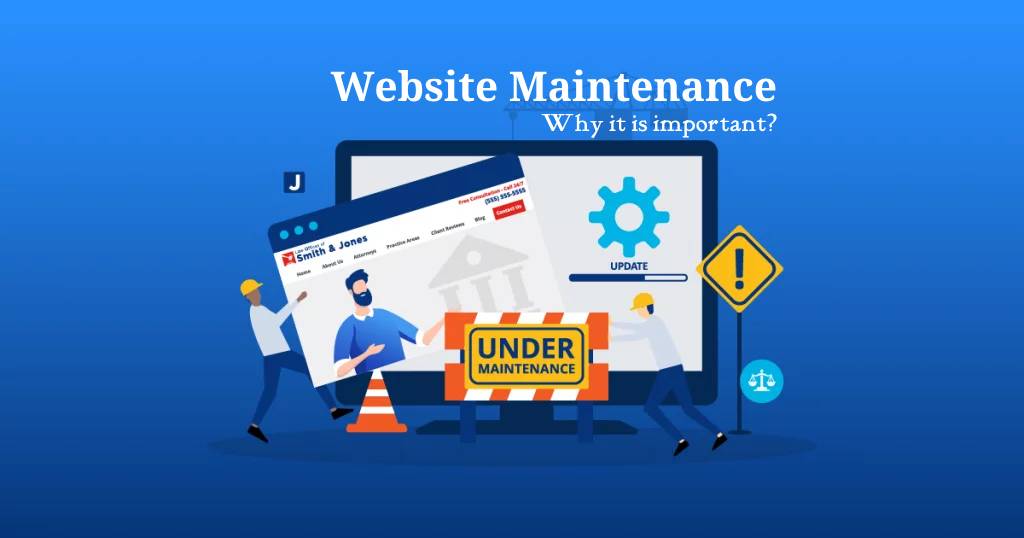
Website Security and Maintenance
Security vulnerabilities are among the biggest risks for any website. Bugs, malware, and cyberattacks can lead to data leaks, downtime, or a complete loss of website functionality. Companies spend millions every year recovering from such issues, which is why regular maintenance is indispensable.
Website maintenance involves critical security updates, plugin upgrades, and backups. This keeps your data safe and minimizes website downtime. Your website will keep users’ trust and appear better in search engine rankings due to having an active SSL certificate and secure hosting.
Website Maintenance and SEO
Google ranks a website in terms of its performance, the quality of the content, security, and user experience. A website that is outdated, not very fast, with broken links, or issues with security will rank badly in search results.
SEO will improve with regular maintenance, which includes fixing technical errors, adding fresh content, improving page speed, and updating plugins or CMS. This will minimize bounce rate, increase organic visibility, and make your website discoverable to potential customers.
Common Website Maintenance Challenges and Their Solutions
Regular Content Updates
In large sets of pages, updates to your website can be a bit challenging; this is where a CMS such as WordPress or Joomla comes in, website maintenance making editing so much easier while maintaining consistency.
Security Vulnerabilities
The websites are exposed to countless cyber threats. Regular updates, malware scanning tools, and firewalls, such as Cloudflare, protect your site from attacks.
Website Speed and Performance
Slow sites mean high bounce rates and lower search rankings. Image optimization, caching plugins, and server monitoring tools for website maintenance can all help ensure performance stays fast.
Device & Browser Compatibility
It is of prime importance that the website works well across all devices and browsers. Through responsive design and cross-browser testing, you evade complications with layouts and broken functionalities.
Broken Links and Error Pages
Broken links adversely affect the user experience and SEO of website maintenance. Run regular audits, and update redirects to ensure smooth browsing for your visitors.
Backup and Recovery
Accidents, hacks, or server failures can result in data loss. Backups implemented automatically and stored at several locations offer a quick recovery without loss of critical data.
Types of website maintenance checklists:
Weekly Maintenance Activities
Includes updating plugins, performing backups, fixing broken links, spam comments removal, inquiry form checks, publishing blogs.
Monthly Maintenance Activities
Covers software updates, security scanning, checking website performance and speed optimization, database maintenance, and analysis of website statistics.
Quarterly Maintenance Activities
Responsive testing, SEO review, design optimization, browser compatibility checks, and website audits.
Annual Maintenance Activities
Includes domain renewal, updating designs, reviewing content for completeness, and making sure all references reflect the current year.
How Much Does Website Maintenance Cost?
Small Blog Website
Cost: $99–$299 per month. Minimal website maintenance, which can be managed through platforms like WordPress or Blogger.
Small Business Websites
Approximately $110/month. Does require frequent updates, backups, and marketing-related tasks.
Corporate Websites
Costs range from $200–$999 per month. Requires professional management because of more traffic and enhanced features.
eCommerce Websites
Costs range from $199 to $999 per month. Includes heavy data, customer information, and requires reliable maintenance. Other costs include domain renewal at between $3 and $15 per month, hosting at between $25 and $120 per year for shared hosting, and SSL certificates between $2 and $25 per month, depending on the security level.
Benefits of Website Maintenance
Improved Website Security
Regular updates reduce the vulnerabilities and offer an overall improved security for your site.
Improved Customer Acquisition
A fine-tuned website tempts more visitors to browse and stay longer with the site, thereby converting into paying customers.
Fresh and Relevant Content
Updated content generates more interest and helps improve search engine ranking.
Costly Disaster Prevention
Maintenance performs like a preventive shield and protects you from costly fixes and restores lost data.
Monitoring and Analysis of Website Metrics
Monitoring the metrics of your website forms part of critical website maintenance. Analyzing key performance indicators helps in measuring the effectiveness of your website while being able to catch problems early and make informed decisions that improve user experience and drive growth. Some of the main metrics you should be tracking include:
-
Web Traffic: The volume of visitors, pages viewed, and unique users will help gauge audience size and engagement level.
-
Bounce Rate: Find the pages on which users leave quickly, indicating a probable poor content or design problem.
-
Page Load Time: Slow loading pages hurt user experience and SEO; track load times and optimize accordingly.
-
Conversion Rates: Conversions measure the effectiveness of your website in achieving business goals such as sign-ups, purchases, or inquiries.
-
User Behavior: Understand how visitors are navigating through your site, what pages are most visited, and at what point users drop off.
-
SEO Performance: Monitor keyword ranking, organic traffic, and backlinks to analyze your visibility in search engines
Don't Let Downtime Hurt You
Frequently Asked Questions and Troubleshooting Tips
Maintaining a website may sometimes raise questions or issues. Here are some common FAQs and practical troubleshooting tips for website maintenance:
By performing regular maintenance, optimal performance is ensured and consideration of security and user experience is taken into account. It prevents one from experiencing much downtime, it keeps the software updated, it enhances speed, and helps protect against security threats.
Refreshing the content regularly keeps it relevant and engaging. Update blog posts, news sections, product descriptions, and other key areas based on industry or business needs.
Optimize images, minify CSS and JavaScript files, enable browser caching, use a content delivery network (CDN), and consider upgrading your hosting plan.
Use strong passwords, 2FA, update your software/plugins on time, install a web app firewall, malware scans, and schedule backups.
Broken links are negative for the user experience and SEO. Use link-checking tools to identify and fix them, or redirect them to relevant pages.
Employ automated WordPress backup plugins or web hosting backup services. Store backups securely offsite or on cloud platforms to ensure restoration in case of data loss.
Check for recent changes. Consider updating or find out if there are server issues. Run analytics, check for possible penalties, algorithm updates, and SEO professional consults.
- Regularly monitor website analytics
- Test cross-browser compatibility
- Update contact info and forms
Manage comments and spam Keep up-to-date with industry trends and emerging technology.