
 Website maintenance is not something you set up and leave, like an old ad. It is a real web thing you have to work on each time you use it if you want it to do a good job. Every page, every part, and every line of code makes what your customer feels. On the other hand, when you do not look after a site, trouble starts to grow in the dark: links break, pages run slow, add-ons go out of date, and safety issues grow. In time, these will just keep adding up and stop your business from moving ahead.
Keeping your web site is the never-ending work to keep it fast, right, safe, and ready for what is new. Think of it as regular checks for your web house. You would not leave your shop dirty, dark, or unlocked. Your web site is no different and needs a steady hand and watch.
Making sure your website is good and strong to hold up your long-term brand goals is what website maintenance does. Now, in the world we live in, where first looks are on screens, a well-run web site means the difference between a happy client and a missed chance.
What does website maintenance mean?
Website maintenance is the work that is included in making sure that the site functions well as it is supposed to every day. This will comprise everything from the technical part of the work like the updates, security fixes, and backups, to more content-driven changes such as adding new posts or refreshing the look of your homepage.
In brief, maintenance makes your website:
- Updated
- Fast
- Secure
- Error-free
- User-friendly
Search engines also depend on the signals that come from your website’s technical health: a fast, updated, and relevant-content-providing site gets higher in rankings, whereas outdated websites become invisible very quickly and hardly get any visitors.
Maintenance that is performed regularly is like an insurance for a small business, an e-commerce store, or a service-based brand, and at the same time, it is the way to be sure that your digital presence is always functioning well for you.
Why Do You Need to Maintain a Website?
The answer is simple: because people visiting a website expect perfection. A slow-loading page, a form that doesn’t submit, an image missing-these little issues immediately affect trust.
Keeping your website error-free
Links break over time, pages stop loading properly, images disappear, and plugins that are out of date lead to conflicts. If these problems go unnoticed, visitors end up frustrated. Regular checks catch issues early before they escalate.
Content relevance and freshness
Your content represents the voice and credibility of your brand. Users feel confident that your business is current and trustworthy when you update blogs, product pages, service descriptions, and visuals. Fresh content also sends positive signals to search engines.
Faster loading speeds
Speed is more important than ever, and a delay of one second can lower conversions. The routine maintenance includes optimizing images, clearing old cache files, removing unnecessary scripts, and tightening your site’s code for faster loading.
Stronger security
Every website is vulnerable to malware, unauthorized logins, outdated scripts, and bots. Through maintenance, your security layers stay strong by applying patches, scanning for vulnerabilities, and backing up your site regularly.
This is because the cost of neglecting security can far outweigh that which it costs to prevent issues in the first place.
A healthy website engenders a seamless experience that invites users to linger, navigate more pages, and take meaningful action.
Eleven Essential Types of Website Maintenance
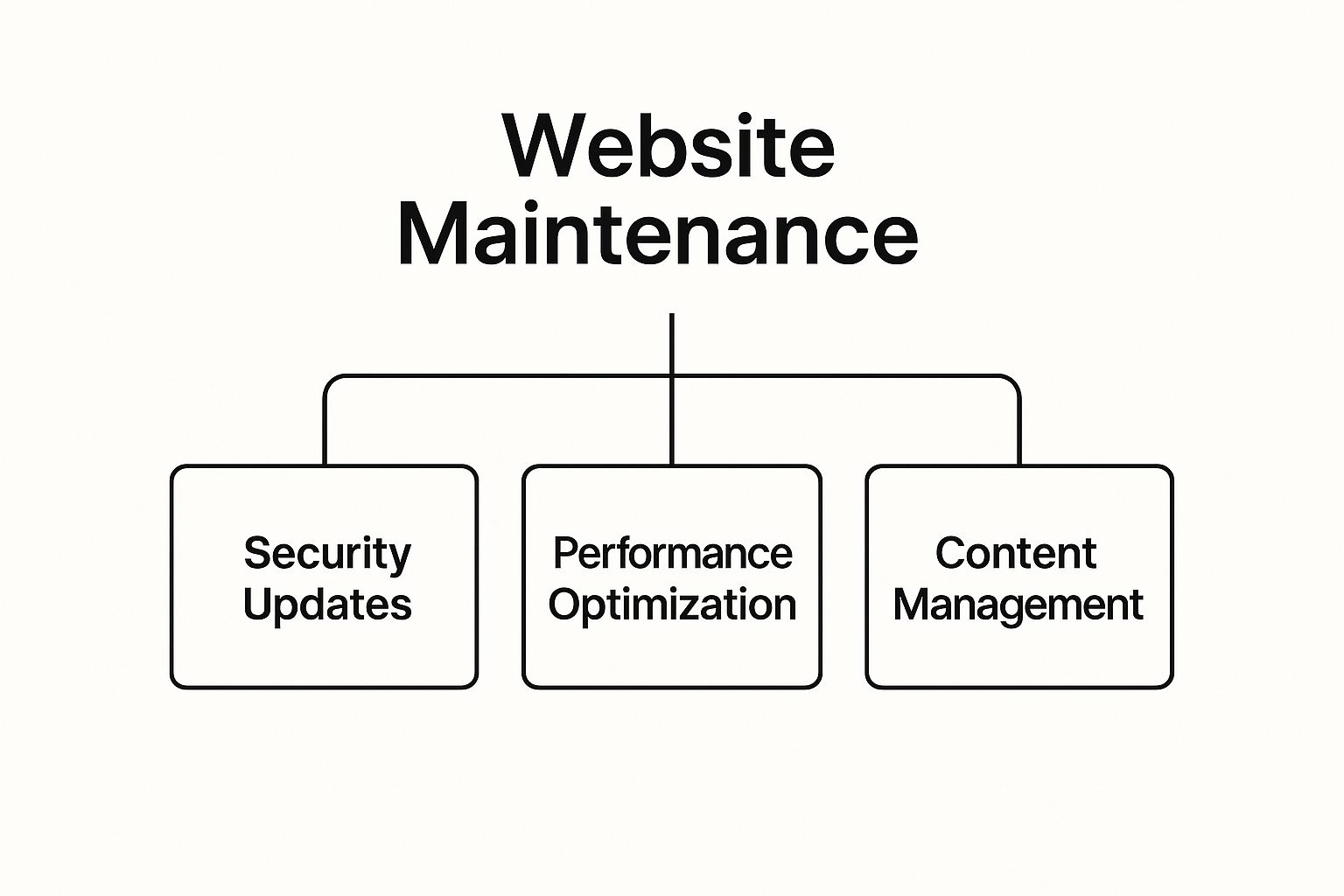
Maintenance is a continuous cycle of updates and improvements once your site goes live. Here are the core areas that will keep your website strong and dependable.
1. Security Updates
Security updates do this by closing off the weak spots in your CMS, theme, or plugins. In general, hackers tend to pressure hard on a piece of software which is left without patching because it offers them quite simple ways to get into your system. Therefore, fast implementation of security patches is a way of protecting your data, user information, and business reputation. Apart from that, the updates also serve as a link to keep the security measures up to the modern standards.
2. Plugin and Theme Updates
Plugins and themes are the types of things which basically bring life to certain important functions: sliders, forms, contact pages, ecommerce workflows, and design layouts. In the long run, the plugins which are old may no longer be compatible with browser versions and OS updates. By maintaining them, you will be able to avoid situations where there are crashes, layout distortions, or broken features. Also, regular updates return to the user new features and better performance.
3. Content Updates
Content is what powers your marketing. Give your main website a new look, write new blogs, update product descriptions, change old statistics, and add new pictures. Customers like businesses that keep themselves updated and so are search engines.
If your site has old news, it definitely lowers your trustworthiness and in the end, conversion rates will drop, i.e. the number of people who will buy your service.
4. Backup and Disaster Recovery
Backups are the safety net for the entire website. In case your site faces a crash, malware attack or code error, a recent backup lets you restore everything quickly. The elements that make up a good recovery plan are automatic backups, off-site storage and frequent testing to be sure that the files can be used. Because, the absence of backups, means that only one small technical mistake is enough to wipe out months or even years of work.
5. Performance Monitoring and Optimization
Performance optimization is not only about speed. It measures the time taken for the site to load, its responsiveness and stability as well as the user’s overall experience using different screens.
Fixing maintenance here means getting rid of the parts of the code that are no longer needed, if the file is large, then reducing the size of it, as well as refining the scripts and ensuring your site is in line with Google’s Core Web Vitals. Hence, a well-done, speedy site is beneficial both for the users’ experience as well as SEO.
6. Security Scanning
Just like human health checks, security scanning is routine work to be done on your website. The main task is to go through the malware, look for suspicious code, weak passwords, unauthorized scripts, and check if any unusual activity is happening which may be a threat. the earlier you detect the problems, the better will be the situation
Problems detected at the scanning point are hardly ever disasters that come to fruition.
Being clean and under constant watch is something users and search engines bestow upon your website. In addition, security scanning for web also helps you in terms of less downtime, stopping blacklisting, and giving you assurance that your online place is safe at the back-stage.
7. User Management
If your site supports customer logins, subscriber portals, team accounts, or memberships, then user management is a must-have for the continued upkeep. This involves activities such as removing spam accounts, changing permissions, monitoring login attempts, and ensuring user data security.
Good user management is an effective way of preventing access by unapproved users and lessening the mess in your database. What is even more important is that it ensures a smooth experience for the users who really take advantage of your site.
8. Accessibility Testing
Accessibility ensures that the most diverse users, such as users with different types of disabilities, can use your website without any difficulties. Some of the checks that are done for accessibility include the use of fonts that can be easily read, correct contrast of colors, allowing users to navigate the site through the keyboard, providing a descriptive alt attribute for images and making the site compatible with screen readers.
A website that is designed for all types of users, builds a deeper level of trust. Also, it brings your website in compliance with international accessibility standards, thus, making your site inclusive and ensuring that you meet legal requirements. By the way, a lot of accessibility changes are also UX changes that benefit all visitors.
9. Uptime Monitoring
The time when a web page is not accessible is certainly a time when one gets frustrated. Maybe one out of a hundred people will go back to your site after they have seen the error page. Keeping a site running through uptime monitoring is what the very nature of the monitoring is. It is a kind of monitoring that watches for outages, problems with servers, and situations that were not expected to fail silently and sends alerts instantly if anything is not right.
Without a doubt, the loss of even a few minutes of the site can worsen the business of the company, the running of the subscription service, or the trust of search engines. If you are conducting regular monitoring, then you have the assurance that the problems will be solved before they get out of control.
10. SEO Monitoring
Search engine optimization is never a constant and it is always changing. The ranking changes, the competitors update their content, and the search algorithms are always getting refined. SEO monitoring means you keep an eye on keyword positions, backlink health, indexing issues, broken pages, and the technical SEO aspects like sitemaps and meta tags.
A website that is well taken care of will actually go on to produce higher results in search over time. Monitoring things gives you the chance to find problems quickly and by using data-driven decisions you can change your SEO strategy whenever you want. It is a very powerful tool to keep your visibility at the top level thus making sure that search engines not only can crawl but also understand your content in the correct way.
11. Ongoing Support and Maintenance Plans
Essentially, numerous companies entrust experts with the responsibility of managing their maintenance which includes: software updates, data backups, monitoring of uptime, solving of problems, security checks, and content changes. As a result, the site stays working efficiently without the need for a technical owner to be familiar with all the aspects.
An organized servicing schedule reduces the risk of sudden breakdowns and offers the opportunity of regular visits thus, saving your time which could be used for development instead of fixing. With the presence of a seasoned assistant, your website will be compatible with the current norms and the constantly changing demands of users.
How much does website maintenance cost?

Website renovation charges fluctuate according to the scale, complexity, plugins, integrations, e-commerce capabilities, and necessities for protection. A small commercial enterprise internet site with blog or carrier pages typically wishes simplest slight preservation. Larger e-trade web sites, portals for club, or market-style websites require plenty extra designated and common preservation.
Businesses may also spend a mean of ₹4,000-₹15,000 a month for simple protection. Advanced websites require a whole lot more investment. While DIY is very practicable, it’s time-eating and incorporates plenty of hazard if you have no enjoy with backing up, updating, or troubleshooting.
With one neglected update probably leading to a complete site crash, many business owners choose expert help to maintain everything stable and predictable.
How Often Should Maintenance Be Done?
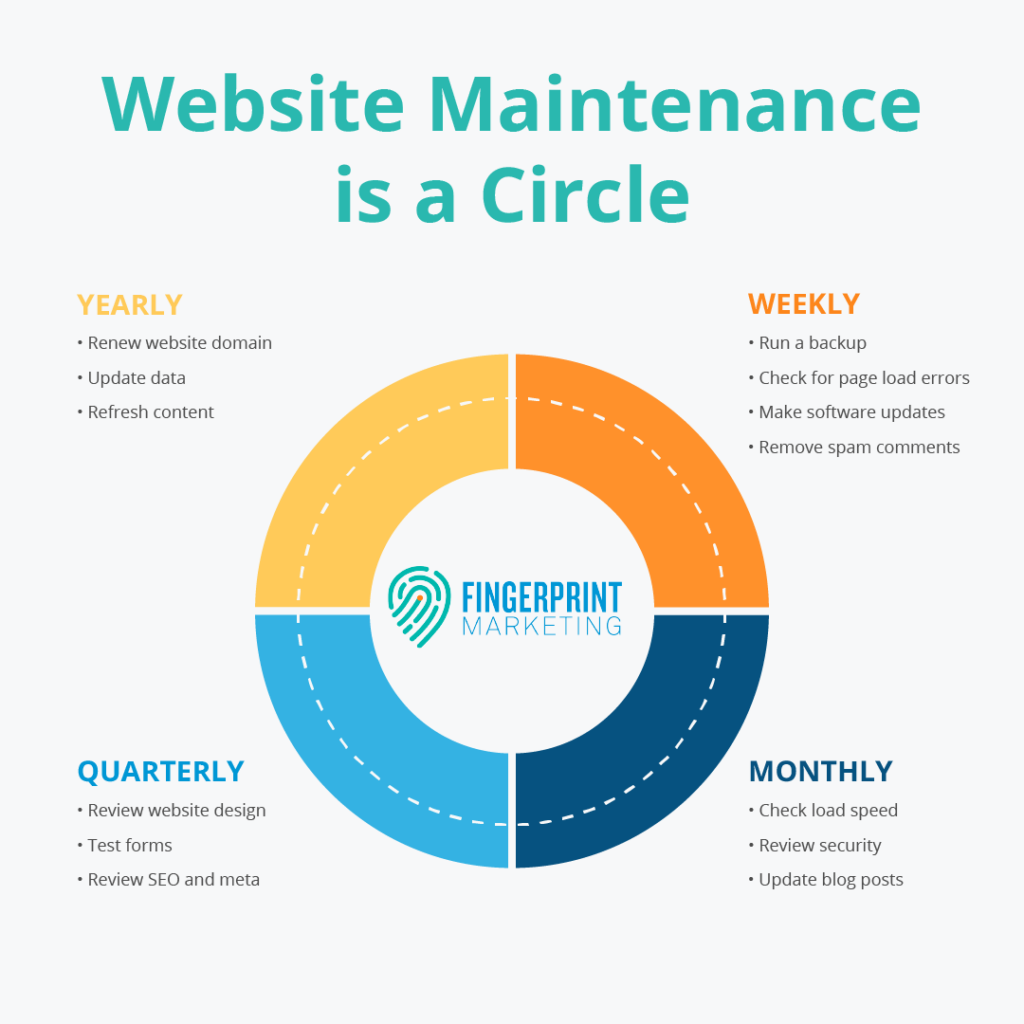
Every site has a plan for maintenance. There are some tasks that need to be done every week, some every month, and some only once or twice a year. This is how I would sort them:
- Weekly: repair broken parts, check for security issues, back up data
- Monthly: improve content, analyze numbers and stats, speed up a bit
- Quarterly: elaborate tests for performance and checking the site, usability tests, remove bad links
- Yearly: change the design for a new look, update the technical stuff, evaluate how well the current plan works
Always carry it out regularly. It is much better than just reacting to problems. If you do a little work every week, you will not have big, expensive issues later on.
An efficiently managed website
An efficiently managed website is not only a part of your brand in the digital world but it also shows your professionalism and your commitment. People who come to your site will decide in a few seconds how they see your business: speed, visuals, clarity, and functionality. As soon as something is felt to be broken, old, or insecure, the trust goes down immediately.
An effectively managed website is one that:
- Is able to load quickly
- Protects users’ data
- Is more visible in search engines
- Offers up-to-date and relevant information
- Reduces bounce rates
- Converts visitors into customers
- Establishes trust over time
The continuance of your business is still determined by the market, which has daily more competitors. A website without updates becomes like a ghost. A good one keeps alive the competition.
Final Thoughts
Your website is probably one of the top five business assets that you have. Taking good care of it is not only about stopping problems from happening, it’s more about promoting growth, upgrading the customer experience, and at the same time, making sure that the data is safe and secure. Periodic maintenance turns your site into a strong instrument: it brings in customers, establishes faith, and allows your brand to change with the years. If you are doing updates by yourself or you have a professional helping you, regular website maintenance is what keeps your site secure, fast, and efficient every day.






Rahul M.
B2B Service Provider