
Webflow vs. WordPress: No-Code Creativity or Open-Source Flexibility?
Picking the right website platform can be really tough because there are many options out there. When people talk about the most popular website builders they usually mention Webflow and WordPress first. So which one is better for your website?
Webflow and WordPress are both very powerful. They are made for different people and different needs. If you want to make a blog or a website for your business or a portfolio to show off your work you should know how Webflow and WordPress work so you can make a good choice.
WordPress is great because you can do anything you want with it. It has a lot of plugins and it is open-source, which means you have complete control over your website. Webflow is different. It lets you make websites without needing to know how to code so you can make professional looking websites even if you are not good at coding.
Webflow and WordPress both have things and bad things about them. If you look at what they can do, how easy they are to use, how much you can customize them and how well they work you can figure out which one is best, for what you want to do with your website.
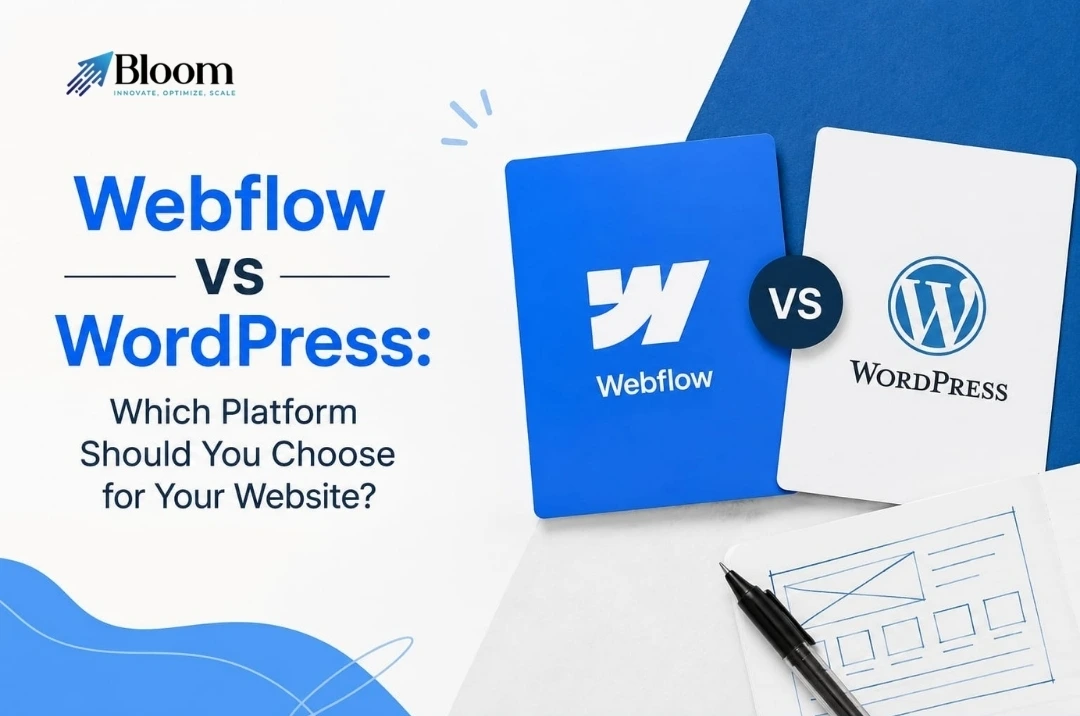
Understanding the Basics
Before we look at what Webflow and WordPress can do we need to know what Webflow and WordPress are about.
Webflow started in 2013 as a way to build websites that puts design, managing content and hosting together. It is made for people who design and create things. They want to be in charge of how their websites look without having to learn a lot of complicated coding. Webflow has an editor that you can see which lets people make modern websites that work well on different devices and it is easy to use.
One of the things about Webflow is that it takes care of hosting, keeping things safe and making sure everything runs smoothly for users. This is like renting a place where someone else handles most of the technical work. Webflow is easy to use and simple. People who use it have less control over things compared to using something that they are fully in charge of themselves like a self hosted platform, where users have to do more work. Webflow is a good choice for people who want Webflow to handle the technical side of things.
WordPress on the hand is a free and open system that helps manage website content. It runs more than 43 percent of websites on the internet. WordPress started in 2003. Since then it has become a choice for making blogs, business sites, online shops and portfolios.
Unlike Webflow with WordPress you own your website. You can make changes to it. You use themes, plugins and custom code to do this. With all this freedom you have more work. You must handle your hosting, security, updates and maintenance.
In terms using WordPress is like owning a house. You are in charge of everything. You must also take care of it. You must keep it in shape. This takes work. You have to do updates yourself. You have to keep it secure. You can make it whatever you want.
Comparing the Website Design Experience
One big difference between WordPress and Webflow is how they handle website design. It is also a thing that people think about when picking a platform. They want to know how easy it is to make their website look how they want. WordPress and Webflow do this in different ways. The way they approach design and customization is really important. It helps people decide which one to use.
WordPress gives users access to thousands of themes. There are free and paid options. These themes can be customized using tools like the WordPress Customizer. Page builders such as Elementor and Gutenberg help users create pages. Users do not need to know coding to use them. They can create pages easily with WordPress and its themes.
The platform is really flexible. You might still find some things you cannot do. This depends on the theme or builder you pick. Sometimes if you want your website to look completely different you will need to get plugins or have someone do custom development work for the platform.
Webflow is really good at design. It does not have as many templates as WordPress. It lets users be more creative. Designers can make layouts look just right. They can adjust spacing. Make sure it works well on different devices. They use tools, like flexbox and grid to do this. These tools are based on CSS. It helps designers to be more precise.
For people who do not like the limits of website builders Webflow seems more free and easy to use. It helps creators make good looking websites just how they want them. This makes Webflow very popular, among designers and creative pros. They like that they can build websites the way they imagine them. Webflow gives them the freedom to make websites.
Which Platform Is Easier to Learn?
When it comes to making websites easy to use both WordPress and Webflow are meant to make creating websites simpler. They are really good for different kinds of people and skill levels.
WordPress is often what people choose when they are just starting out. This is because it is really easy to use. Users can quickly put in a theme, make a page, put out a blog post and handle content without needing to know a lot about tech. The platform also has a group of users which means there are tons of tutorials, guides and forums for getting help with WordPress whenever you need it with WordPress.
At the time making big changes on WordPress can get tricky. You might need tools, outside help or even know how to code to make your website really stand out. The simple stuff is easy to pick up. Getting really good at WordPress takes more work. You have to put in effort to master it. WordPress itself is not hard to learn. To make it do everything you want you need to learn more.
Webflow is different from tools. Its editor is made for designers. Feels like tools like Figma and Sketch. The interface can be complex, for users. To use Webflow comfortably you need to know about layouts, classes, containers and responsive design settings. It takes time to learn. Once you get the hang of Webflow it gets easier and faster to use. You put in the effort to learn Webflow and it pays off.
For designers and creative pros Webflow is really great once you get the hang of it. It gives you freedom to create and makes working on websites a lot easier. That is why many people find Webflow very useful, for making websites that look amazing. Webflow helps you build websites that’re visually awesome.
Managing Updates and Website Maintenance
The platform you choose does not affect how your website looks today but also how much work you will need to do in the future. The WordPress platform and the Webflow platform are really different when it comes to long-term maintenance of your website. With the WordPress platform you are responsible for maintaining your WordPress website.
This means you have to update the WordPress core and the WordPress themes and the WordPress plugins on a basis. Most of the time these updates are easy to do. Sometimes these updates can cause problems with how things work together or they can affect how well your WordPress website performs for a little while.
People who own a website have to take care of security and backups and make sure the website loads fast. These things are not super hard to do. You have to do them all the time so your website keeps working and does not get hacked.
Webflow is different. It does a lot of things for you automatically. The platform updates itself. Has security features already built in. It also makes sure your website runs fast without you having to do anything. You do not have to waste time dealing with problems or issues with the server. Webflow takes care of website security and website performance for you.
People really like that Webflow is easy to use even if it costs more than WordPress sometimes. This is because users do not have to worry about the side of things. They can use their time to make their design better, create content and make their Webflow websites grow. Webflow is a help, in this way so people can focus on making their Webflow websites the best they can be.
Webflow and WordPress Comparison Table
| Feature / Category | Webflow | WordPress |
| Type & Approach | Visual-first no-code website builder with CMS | Open-source CMS with huge flexibility via plugins & themes |
| Hosting | Included with plans (managed, AWS-backed) | Not included — must choose external hosting provider |
| Ease of Use | Intuitive drag-and-drop visual editor | Easy for basic content; professional custom builds can be complex |
| Design Flexibility | Full creative control & pixel-perfect layouts | Very flexible via themes + page builders (Elementor/Divi) |
| Customization | Good but fewer integrations/extensions | Extremely customizable via ~60,000+ plugins |
| SEO Tools | Built-in SEO features | SEO via plugins like Yoast, Rank Math |
| Content Management | CMS built into editor; good for structured content | Powerful CMS for blogs, large sites, multi-author workflows |
| Plugins/Extensions | Limited 3rd-party integrations | Vast ecosystem (SEO, security, e-commerce, membership, etc.) |
| Security | Managed platform with built-in protections | Depends on hosting + plugins; needs active maintenance |
| Performance | Optimized hosting & clean code output | Performance varies with host, plugins & optimization |
| E-Commerce | Built-in on higher plans (good for small stores) | Via plugins (like WooCommerce) with advanced features |
| Pricing | Subscription plans with hosting included | Free core + separate costs for hosting, plugins, themes |
| Maintenance | Minimal — platform handles updates/backups | Requires regular software, plugin & backup upkeep |
| Best Suited For | Designers, agencies, marketing sites, portfolios | Blogs, complex sites, large communities, scalable e-commerce |
Quick Overview
If you want to make a website with Webflow you can have freedom to design it the way you want without having to do a lot of coding. Webflow also takes care of hosting, security and performance for you so you do not have to worry about the parts. This means you will have work to do to keep your website running smoothly.
If you want to make a website with WordPress you can use a lot of plugins to make your website do what you want. WordPress is also very good at managing the content of your website. When you use WordPress you have control over your website and where it is hosted which is something that some people really like about it.
Pricing and Budget Comparison
The cost is something to think about when you are trying to decide between Webflow and WordPress. How much you will have to pay depends on what kind of website you want to make and what you need it to do.
You can use WordPress for free. You still have to pay for some other things like a place to host your website, a domain name and sometimes special themes or plugins. A simple WordPress website will probably cost you around $100 to $200 per year. If you want a bigger website for your business, with a lot of advanced features it can cost a lot more.
Webflow has hosting included in its plans, which start at about $14 a month. The cost goes up if you need more pages or online store features. For business or professional sites Webflow can get pretty pricey over time. WordPress is often cheaper at first but you have to handle more technical stuff yourself. Webflow costs more, from the start. It takes care of hosting, security and upkeep for you.
E-Commerce and Online Stores
If you want to sell things on the internet, WordPress and Webflow are two different options. WordPress is great because it works with WooCommerce. This means you can sell lots of things like physical products, digital items and subscriptions. It also works with payment gateways and plugins so you can make your online store just the way you want it.
The best thing about WordPress and WooCommerce is that you can customize them a lot. But sometimes setting them up and managing them can be a bit confusing for people who’re new to this.
Webflow is also good for selling things and it is perfect for stores that look really modern. It is a bit easier to use in some ways. It does not have as many advanced features as WooCommerce.
So if you have an online store or one that needs a lot of features WordPress is probably the better choice but if you want something simple and easy to use and you care a lot about how your store looks then Webflow is the way to go.
Choosing the Right Platform
Choosing between Webflow and WordPress really depends on what you want to do with your website and what you are looking for.
If you want to be able to design your website and not have to worry about maintenance all the time then Webflow is a good choice. If you want to be able to do pretty much anything you want with your website and use lots of different plugins then WordPress is probably the way to go. Webflow and WordPress are both really good at what they do, so it is about the kind of website you want to make with Webflow or WordPress.
Choose WordPress if:
WordPress is an option for people who want to control their websites fully. It works well for blogs with lots of content, business sites and big online stores. WordPress has plugins and options to customize so users can add almost any feature they want with WordPress. Starting with WordPress is also cheaper which makes it perfect, for those who do not mind taking care of updates and maintenance of their WordPress website.
Choose Webflow if:
Webflow is great for people who want to be creative and have control over how their website looks without needing to know a lot about code. It is perfect for websites that show off your work, business websites and websites used for marketing especially if you want one place to handle everything, including where your website’s stored, keeping it safe and making sure it runs well. Webflow is also a choice for people who want their website to load fast, like using modern tools to make their website look good and want it to be easy to build their website even if it costs a little more.
Partner with Bloom Agency
Choosing the platform is key but having a good team behind your website is just as important. Bloom Agency helps businesses make websites that work well. They use design and digital solutions that can grow.
Bloom Agency works on website development, branding and helping businesses grow online. They make websites that’re easy to use. This helps businesses have an online presence and stand out from others. Bloom Agency builds websites that help businesses succeed online.
Services Offered by Bloom Agency
- They do custom WordPress website development.
- They make e-commerce and online store solutions.
- They create websites that’re easy to find on search engines and work well on phones and tablets.
- They can change the look and add features to your website.
- Bloom Agency also helps with keeping your website running smoothly updating it and keeping it safe from problems.
Why Choose Bloom Agency?
Bloom Agency makes websites that’re easy to use and look really good. They want to help your business do well online. When you need a website or want to make your old one better, Bloom Agency uses good design, a smart online plan and technical know-how to make a website that people will like and that will help your business grow. Bloom Agency is about creating websites that are perfect for your business and what you want to achieve with your brand. Bloom Agency does this by making sure your website is modern and works well for you and your customers.
Ready to Build Your Website with Bloom Agency?
So you are stuck between Webflow and WordPress. It can be tough to decide. It really comes down to what your business needs, how much money you have and what you want your website to look like. Bloom Agency makes websites that’re modern, fast and look great. They are also easy to use. Can grow with your business.
You might want the freedom to design whatever you want with Webflow.. You might want the ability to customize almost anything, with WordPress. Either way Bloom Agency can help make your ideas a reality. They can turn your ideas into a website.
Why Work With Bloom Agency?
- We create custom websites that match your brand.
- Our websites are easy to find on Google and work well on phones.
- We are experts in Webflow and WordPress.
- We offer support and optimization for your website.
Final Verdict
When it comes to websites people have needs. WordPress is really good if you want to be able to change things a lot and make your website very unique. On the other hand , Webflow is great if you want your website to look modern and be easy to take care of.
The thing is, the best website platform for you depends on what you want. Do you want to be able to make a lot of changes to your website? Do you want to be able to manage your content ? Are you on a budget? Do you want something that’s easy to use?. Do you want a website that can grow with you over time? If you know what you want it is a lot easier to pick the platform, like WordPress or Webflow.

Neetu Wadhwa is the Director of Bloom Agency, a Mumbai-based full-service digital marketing and web development company. With a strong focus on performance, innovation, and strategy, she leads the agency in delivering SEO, web design, and growth marketing solutions that drive measurable business outcomes.





Rahul M.
B2B Service Provider