

SEO is usually tied to keywords, content, and backlinks. But it’s a bit messier than that. You can have really good pages, plus a solid link profile, and still see weird drops in search results if the search engines can’t properly crawl, get what the page means, or even index it in the first place. And thats where a technical SEO audit sort of comes in, kind of quietly but it matters.
A technical SEO audit checks the behind-the-scenes groundwork of a website to spot issues that can mess with crawling, indexing, site speed, mobile usability, security, and overall search visibility. Basically it helps a business see what’s already working, what is not, and what updates should be tackled first, not last.
If a company is spending on organic search, doing regular technical checks can stop small problems from turning into bigger SEO headaches later.
What Is a Technical SEO Audit?
A technical SEO audit is a deep review of the technical pieces that affect how search engines reach, interpret, and store (index) your website pages.
It’s different from a content-first SEO review, because that kind of work mostly focuses on keyword themes, headings, on-page quality, and optimization. A technical audit looks more at the website foundation, the infrastructure, the systems.
An audit might include things like:
- Site crawlability
- Indexing and indexation signals
- URL structure
- Internal linking
- XML sitemaps
- Robots.txt
- Canonical tags
- Redirects
- Broken links
- Duplicate pages
- Page speed
- Core Web Vitals
- Mobile usability
- Structured data
- HTTPS and security
- JavaScript rendering
- Metadata and HTML structure
- Server response issues
The goal is not only to collect a “this is wrong” error list. A good audit connects the technical trouble to the likely SEO outcome, then lays out a realistic plan to fix it.
Why Is a Technical SEO Audit Important?
Search engines need to discover your pages, crawl them, interpret them, and index them before those pages can compete for organic rankings. If technical flaws block any step, even strong content might not perform well like it should.
For instance, a site can accidentally block an important area using robots.txt. Then a redesign could create hundreds of broken URLs. Weak internal linking might bury key pages so crawlers don’t find them easily. And duplicate versions of the same page can trigger extra crawling and confusing indexing signals.
Technical SEO helps uncover problems like that.
Better Crawlability
Crawlers need a clear path through your website. With a sensible site structure, helpful internal links, clean URL patterns, and properly set technical files, it becomes easier for bots to find and reach important pages.
Improved Indexing
Crawled is not the same as indexed. Technical SEO checks can uncover indexation issues, unwanted noindex rules, canonical conflicts, duplicate page signals, and other indicators that influence how search engines treat specific URLs.
Stronger User Experience
A lot of technical SEO improvements also help real people. Faster load times, mobile-friendly layout, smoother navigation, and fewer broken links make a website easier to use, not just easier to rank.
Better Website Performance
Slow pages create drag and frustration. When performance is optimized, visitors can reach key content sooner and actually interact with the site.
Reduced SEO Risks
Big changes can bring surprises. Website migrations, redesign work, plugin updates, server swaps, and development releases may introduce new AI SEO service problems. Regular audits help catch these things earlier, before they scale into issues across many pages.
When Should You Conduct a Technical SEO Audit?

There isn’t one fixed timing plan that works for every website. How often you audit depends on size, complexity, and how quickly the site changes.
A smaller business site might only need periodic audits, while a large ecommerce site with thousands of URLs usually requires more continuous monitoring.
A technical review is especially useful when you’re:
- Launching a new website
- Redesigning an existing website
- Switching CMS platforms
- Migrating domains
- Moving to HTTPS
- Changing hosting providers
- Adding large batches of pages
- Seeing an unexpected drop in traffic
- Noticing indexing issues in Search Console
- Publishing content at scale
- Making major updates to navigation or URL structures
How to do a Technical SEO Audit
Doing a full audit, like one of those check everything things, can get pretty big… but this is a decent starting point that doesn’t eat all your week.
1. Check your website structure
First, just figure out how the site is put together, like where things live and how pages relate to one another.
A solid website structure really helps both humans, and search engine bots, move between related pages. Pages that matter shouldn’t be tucked away several levels down, unless there’s some clear reason.
Go through things like:
- Main navigation
- Categories
- Subcategories
- Breadcrumbs
- Internal links
- URL hierarchy
- Your key landing pages
Like for ecommerce, a typical flow might be:
Home → Category → Subcategory → Product
That layout keeps the relationship between page types pretty clean.
Also, your URLs should feel easy to read, and stay consistent. Try not to use overly complex URL paths full of random parameters or messy looking strings, when simpler versions exist.
2. Crawl the website
Next, crawl the site with an SEO crawling tool.
Platforms like Screaming Frog, Semrush, and Ahrefs can help surface technical problems across the website.
A crawl usually uncovers stuff such as:
- 404 pages
- Redirect chains
- Redirect loops
- Duplicate titles
- Missing titles
- Missing meta descriptions
- Canonical problems
- Duplicate URLs
- Orphan pages
- Broken internal links
- Wrong status codes
The point is simple: understand what crawlers will actually run into while they navigate through your pages.
For bigger websites, it can help to split the work. You can scan everything, sure, but it’s often faster to focus on important sections so repeat issues show up sooner.
3. Verify indexing and search visibility
Crawling and indexing are connected, but they are not the same. A page might load for a crawler, yet still not show up in Google’s index.
Google Search Console is helpful here. Look through indexing reports, and then inspect the URLs you care about, to see whether search engines can access and store them correctly.
When reviewing, watch for:
- Pages set to noindex
- Unexpected excluded pages
- Canonical mismatches
- Duplicate URLs
- Soft 404s
- Server errors
- Redirected URLs
- Important pages that are missing from search results
And quick note, not every exclusion is automatically bad. Some pages should stay outside the index on purpose, like certain utility pages, or duplicate variants. The main question is: does the current indexing status match what that page is supposed to do
4. Review robots.txt
The robots.txt file gives directions for crawling bots. A common technical SEO issue is that important sections get blocked by mistake.
Recheck the file, and confirm that key pages and resources are still allowed to be crawled.
For example, one broken or poorly configured directive can stop crawlers from accessing a whole directory. However, robots.txt shouldn’t be treated like a “delete button” for already indexed pages. It’s a different control with a different outcome, so it should be used based on what you’re trying to achieve.
Step 3: Review the XML Sitemap.
XML sitemap assists search engines in finding key URLs on the website.
The sitemap should normally include all the canonical URLs that you want to be used for the search engines.
Review whether:
- Important pages are included
- Pages that have been removed have been deleted.
- Redirected URLs are not included
- However, non-canonical URLs are omitted (eg. www.foo.com, foosite.com).
- Any error URLs are purged
- The web map is available
- The sitemap is submitted by the appropriate webmaster tools
If you have a big website, you can create several sitemaps by using a sitemap index.
Having a sitemap does not guarantee that it will be indexed, but a clean sitemap is helpful for discovery information.
5. Evaluate Website performance and Core Web Vitals
Another facet of technical SEO that is important is website performance. Users typically have high expectations for a website’s response time and smooth operation, especially when using a mobile device.
At an audit, check any of the following:
- Largest Contentful Paint
- Interaction to Next Paint
- Cumulative Layout Shift
- Server response time
- Image sizes
- JavaScript execution
- CSS delivery
- Browser caching
- Compression
- Unnecessary third-party scripts
One of the common performance concerns is large images. Images can be compressed and if possible, use modern formats to have a lower page weight. Optimization of scripts, delivery of scripts, caching, and server side bottlenecks are other ways that developers can enhance performance. Don’t judge performance improvements on a perception basis.
6. Check Mobile Usability
Many of the visitors to websites use mobile devices so mobile usability is an important technical aspect. One of the things to look at during the technical SEO analysis of a website is the performance of the pages on various screen resolutions.
Check whether:
- Text is readable
- Buttons are user-friendly
- Navigation works properly
- Content will fit in the viewport.
- Images scale correctly
- The pop-ups block content that is important.
- Forms are mobile friendly on smaller devices
- It’s worth noting that significant functionality is offered on the cell.
Mobile SEO isn’t just a matter of making a desktop page smaller. It should be judged as if you were using the website on a smaller screen.
7. Check Canonical Tags and Duplicate URLs.
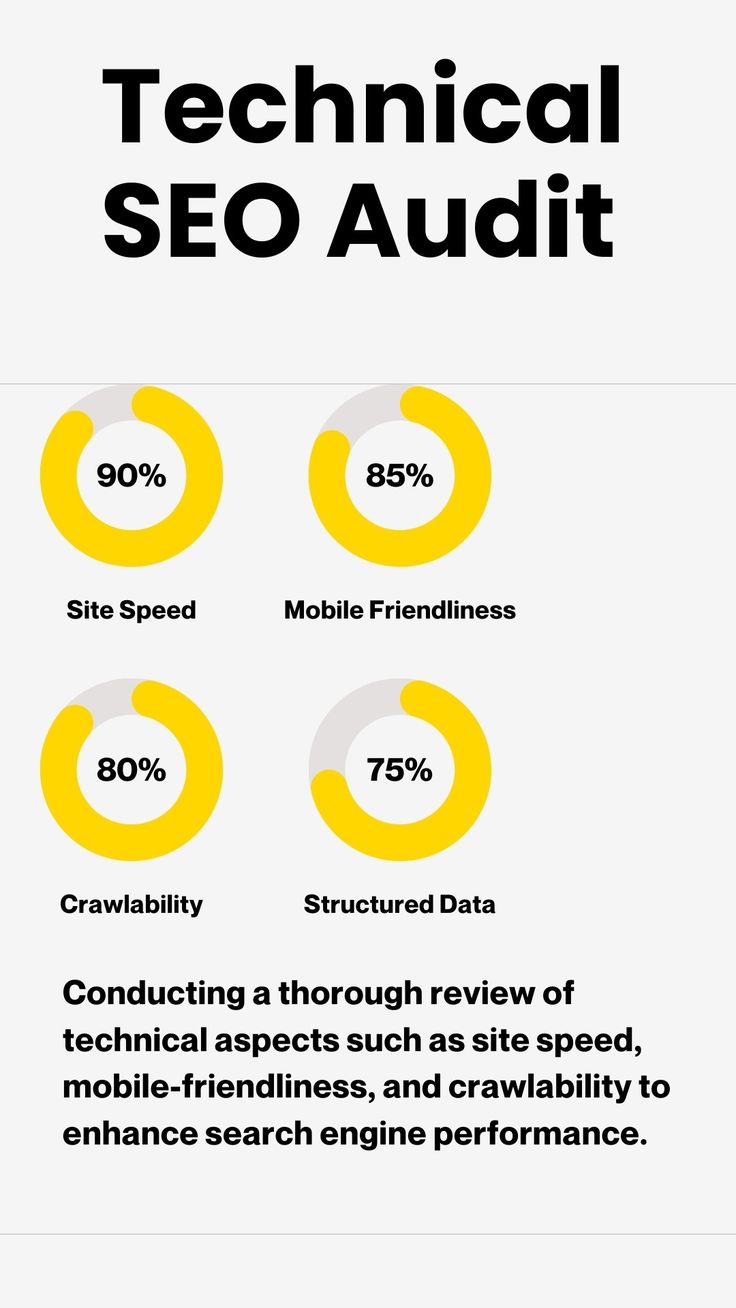
Pages that are near identical or duplicates can make it difficult to grasp which URL is the primary one to be considered as the original source. In certain cases, canonical tags can help search engines to use a preferred URL.
During an audit, check for:
- Omitting canonical tags as appropriate.Removing tags where appropriate.
- Badly formed canonicals that resolve to the wrong URLs.Malformed canonicals that resolve to the wrong URLs.
- Self-referencing canonicals
- Redirects that include canonicals.Redirects with canonicals.
- Conflicting canonical signals
- Duplicate URL variations
Filters, sorting parameters, product variants and tracking parameters can sometimes result in numerous versions of a URL on ecommerce sites, making this process particularly critical. This module will review Redirects and Broken Links.In this module, you will review Redirects and Broken Links. A website with broken links may cause the user to have a bad experience and be hard to crawl.
Look for:
- 404 errors
- 410 responses
- Redirect chains
- Redirect loops
Content linking to redirection URLs.Internal links that are redirecting to redirection URLs.
Broken links that lead to pages that are missing.Links that are missing to a missing page. A redirect should most of the time lead to the right page – the best one, not through several pointless redirections. Redirect mapping is especially important during site migrations as changes to URL structures can impact on current search visibility.
8. Review Internal Linking
Internal links are links between various pages of your website. They can assist visitors to find other content and may be used to assist search engines with understanding relationships between pages. A technical audit should determine pages that are seldom linked from other pages on the site, and pages that are key to the site’s function but are hard to reach from other pages.
A service page, for instance, which is used to capture leads, should be naturally linked from relevant pages and not just a standalone page.
Internal links should have contextual meaning and link to relevant pages.
9. Examine Structured Data
Certain kinds of content can be represented using structured data to offer machine-readable information.
Structured data can be applicable to:
- Products
- Organizations
- Local businesses
- Articles
- Breadcrumbs
- Events
- Reviews
- FAQs
For an audit, see if current markup is appropriate and if it accurately reflects the visible information on the page.
Don’t add structured data just for the purpose of search enhancements. It should accurately describe the page and adhere to the guidelines of search engines.
10. Check Metadata and HTML Elements
On page elements are also important aspects of technical SEO.
Look for key pages on:
- Unique title tags
- Relevant meta descriptions
- Proper heading hierarchy
- If it’s appropriate, all headings are identified as H1.
- Descriptive image alt text
- Valid canonical tags
- Appropriate robots directives
- Use the appropriate language attributes to correct the mistakes.
The title tags should accurately describe their associated pages and not become over-stuffed with repeated words. Likewise, headings should help organize information for readers and provide clear context.
In addition, verify that HTTPS is checked, and Security is checked. Another basic technical factor is website security. Make sure that the website is using https correctly and doesn’t generate needless security alerts.
Check for:
- Valid SSL/TLS implementation
- HTTP-to-HTTPS redirects
- Mixed content
- Insecure resource references
- Incorrect canonical URLs
- Internal links in old HTTP URLs
Issues with security can degrade user trust and also the technical state of a site.
11. Review JavaScript and Rendering
Websites today often use JavaScript to navigate, load content, use filters, use forms, and more. The search engines are now getting very good at handling JavaScript, but too much client-side rendering can still cause technical issues. Content should be made available in a way that search engines can reliably understand.
When doing an audit, look at pages where:
- All of the main content is loaded via JavaScript.
- The navigation links are created dynamically
- Important content is behind interactions.
- The scripts are vital to images or links.
- Images or links are dependent on scripts.
- The bigger problem is the rendering which creates substantial delays.
If the site has a lot of JavaScript content, the importance of the pages can be tested and reveal problems that a simple HTML crawl may not detect.
Typical Technical SEO issues
There are common technical problems that come up over and over throughout websites.
Broken Pages
Unavailable links can have a negative impact on user experience and add extra crawl paths.
Duplicate Content
Having a number of URLs with significantly similar content can complicate the task of managing the URLs.
Slow Loading Pages
Slow performance can be caused by large assets, under-optimal scripts, bad hosting, and not optimized resources.
Incorrect Noindex Tags
If a noindex tag is accidentally used it can stop an important page from showing up in search results.
Poor Internal Linking
Some pages that are important but have few or no links from within the website can be hard for users and crawlers to find.
Redirect Chains
It is not necessary to have many redirects from the original URL to the final URL.
What To Do After an SEO Audit
Completing the audit is only the beginning. The real value comes from turning findings into an actionable implementation plan. Not every technical issue deserves the same priority.
A practical prioritization framework considers:
- Business impact: Does the problem affect an important revenue or lead-generation page?
- SEO impact: Could the issue affect crawling, indexing, rankings, or organic visibility?
- Scale: Does the problem affect one URL or thousands?
- Difficulty: How much development work is required?
- Risk: Could fixing the issue affect other parts of the website?
For example, correcting an accidental noindex directive on hundreds of important pages may deserve immediate attention, while fixing a minor metadata inconsistency across a few low-priority pages may come later.
Technical SEO Audit Tools
Different tools provide different types of information.
- Google Search Console can help analyze search performance, indexing, page experience, and other search-related signals.
- Screaming Frog SEO Spider can crawl websites and identify issues involving URLs, links, metadata, directives, redirects, and more.
- Semrush Site Audit provides technical reports covering areas such as crawlability, HTTPS, internal linking, markup, and website health.
- Ahrefs Site Audit can help identify technical and on-page issues across crawled pages.
- PageSpeed Insights can provide performance-related information and Core Web Vitals measurements.
Using multiple tools can provide a broader picture because each platform approaches website analysis differently.
How Often Should a Website Have a Technical SEO Audit?
The right frequency depends on website size and activity.
A relatively small website may require a detailed audit several times a year, supported by ongoing monitoring.
Large ecommerce websites, publishers, marketplaces, and frequently updated websites may benefit from much more frequent technical checks.
An audit should also be considered after major changes such as:
- Website redesigns
- Domain migrations
- CMS migrations
- Major navigation changes
- Large-scale URL changes
- Hosting changes
- Significant development releases
The most effective approach is to combine scheduled audits with ongoing monitoring.
Build a Stronger Technical SEO Foundation With Bloom Agency
Technical SEO provides the foundation on which other SEO activities operate.
High-quality content can only deliver its full potential when search engines can efficiently discover, crawl, interpret, and index the pages where that content lives. Similarly, link-building efforts can be less effective when technical problems prevent important pages from performing properly.
At Bloom Agency, our approach to technical SEO focuses on identifying issues, understanding their potential impact, prioritizing fixes, and supporting implementation.
From crawlability and indexation to site structure, page performance, internal linking, redirects, structured data, and technical errors, a comprehensive audit can reveal opportunities to strengthen your website’s search foundation.
A healthy website is not achieved through one audit alone. It requires continuous monitoring, thoughtful optimization, and coordination between SEO, content, design, and development.
If your organic traffic has stalled, your website has recently changed, or you simply want to understand the technical health of your website, a structured SEO audit can provide the clarity needed to move forward.

Neetu Wadhwa is the Director of Bloom Agency, a Mumbai-based full-service digital marketing and web development company. With a strong focus on performance, innovation, and strategy, she leads the agency in delivering SEO, web design, and growth marketing solutions that drive measurable business outcomes.







Rahul M.
B2B Service Provider